Today I want to share with you something new!
I took some time to get warm with the new EOS editor to test all the features.
Instead of writing some boring example scripts I just decided to write a little tease.

So the idea was more to try a few things, adding a few picture and done.
In the end this got a bit bigger than expected.
It's more like a second version of the Estim Distraction tease with EOS editor and features.
But maybe just check it out and give it a try.
I would recommend to play one run to get the idea and the different things happening.
Than check out the settings and maybe play a bit around with them.
Please read the infos about every setting and only try to use values that could work or this could break the tease.

I would really appreciate every feedback, specially about the volume increase.
Which settings do work for you and your device?
It's very hard to get an idea about how many volume increase are noticeable... 0,1%, 1%, 5%, etc...
So when you playing around with that, please just add a comment about your experience here!
And make sure to be logged in before you load the tease, then the tease can save data and load them next time.
So I guess that was enough information for the moment.
Play safe and have fun!
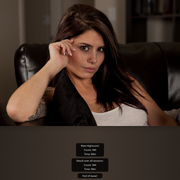
Now go to the beautiful Hailey!

Tease link: https://milovana.com/webteases/showtease.php?id=43497
If you are interested in the script and want to play a bit around with the code for your own tease, just leave me a private message and I will send you the .json output which could be imported into EOS.
- forum.jpg (105.43 KiB) Viewed 10825 times