Okay time to share the code like promised!
I will also add some little tutorial how to easy change pictures and share it with us.
Maybe there is someone out there who want to share his/her own creation.

Of course everyone else who just want to see how it works is also welcome to get a look on it!
0. Prologue - Please read!
First off all, I don't own any of the picture copyright that gets loaded from the import!
The soundfiles are all my creation and can be used for everything you want!
Please don't publish a tease on Milovana which has just other pictures uploaded and nothing else.
I show you a way at 5. how you can easy share your creation with all of us.
I just don't want that there are several public teases with exactly the same thing that referring to my tease.
Please accept that, I trust you in sharing my work with you!
Of course that doesn't mean that you can not take parts and ideas of my work, build
your own tease with that and make it public! Feel free to use everything you want and add it to
your own tease!

Just don't add pictures which takes 3min and hit the share button.
 1. Go to the editor and create a tease!
Make sure you create a new tease if you already have your own one because it gets overwritten in the next step!
https://milovana.com/eos/editor/
2. Upload the .json file
Please send me a PM and I will send you the file, I don't want to share it public here.
Now jump to the code tab and click on the "Upload Code" button, next let everything selected.
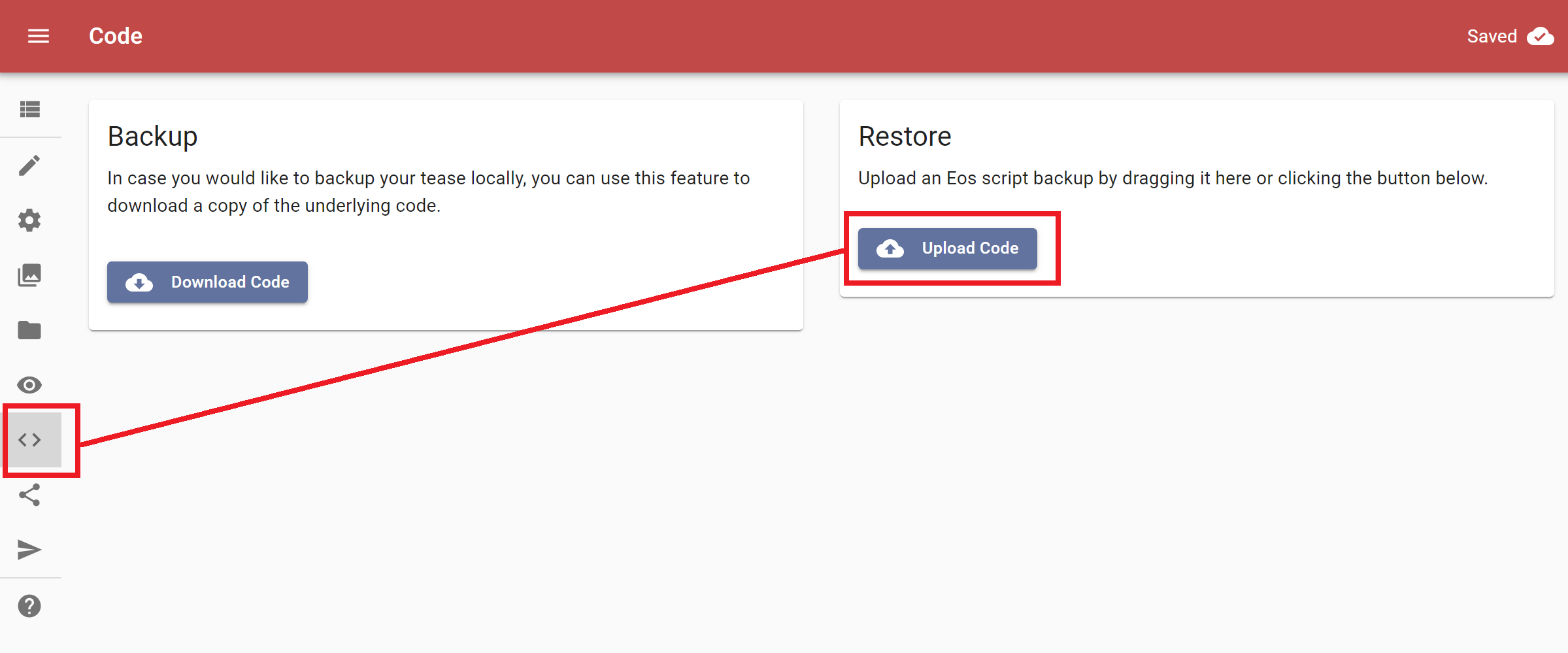
- 2020-01-09 21_03_54-Eos Editor.png (70.44 KiB) Viewed 5553 times
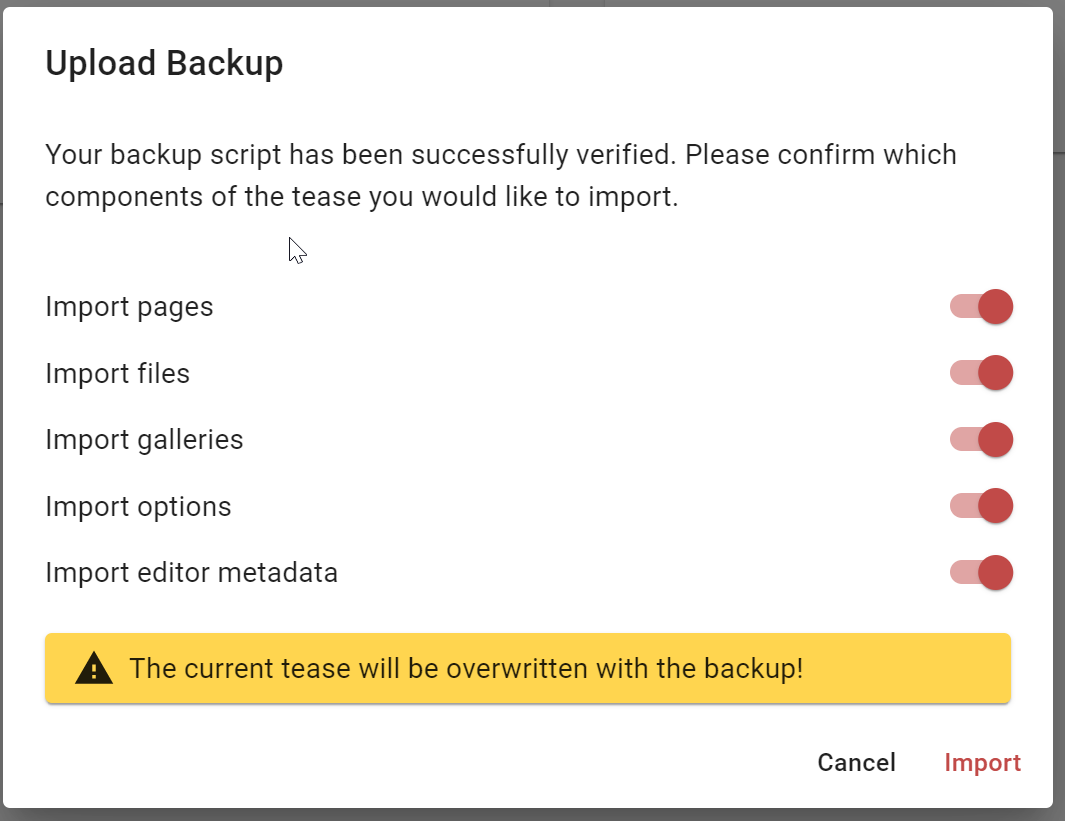
- 2020-01-09 21_04_15-Eos Editor.png (57.23 KiB) Viewed 5553 times
3. Upload your own pictures
Jump to the gallery tab, here you can find one gallery for every category.
Just click on the one you want to upload pictures for.
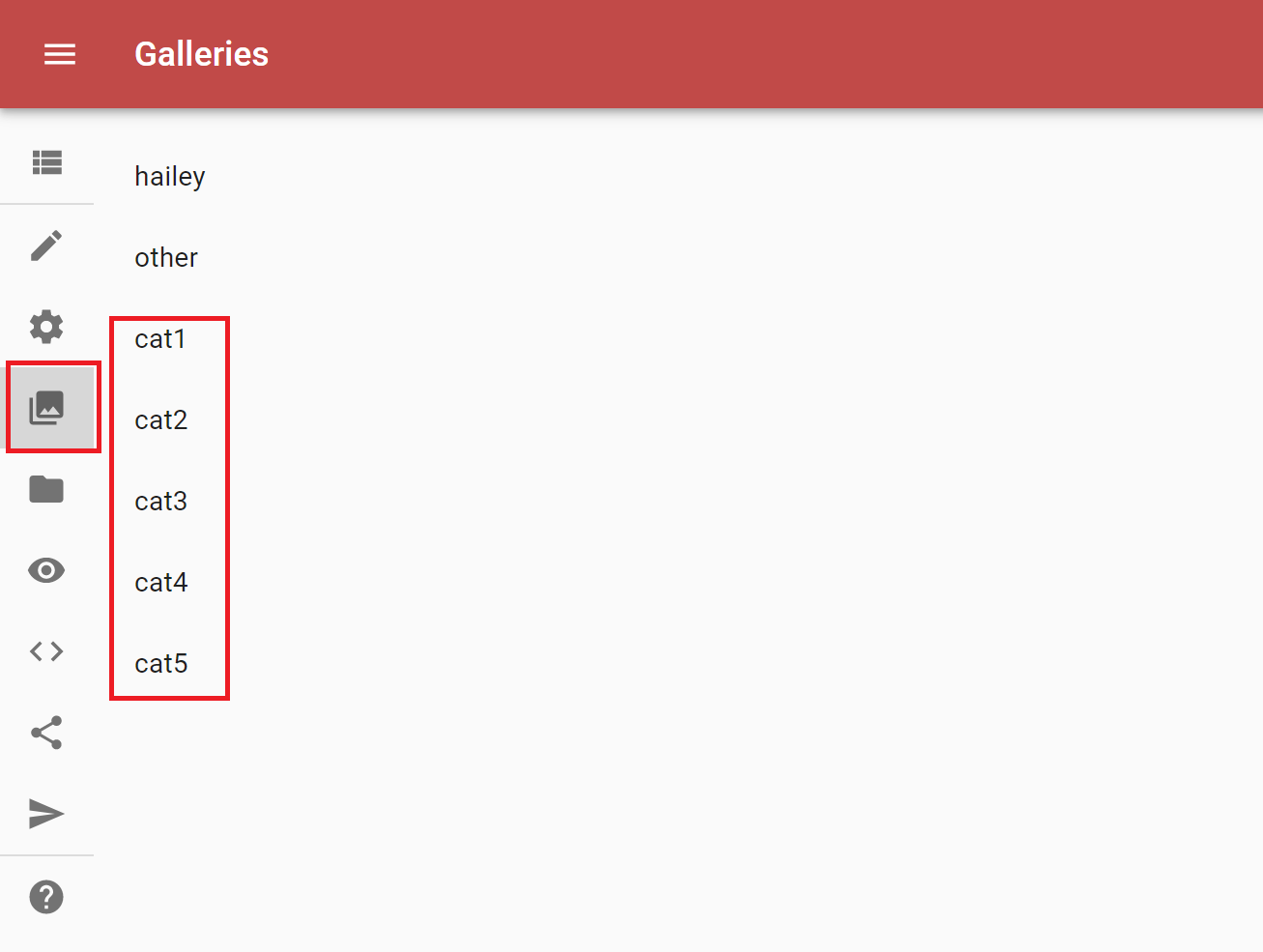
- 2020-01-09 21_04_47-Eos Editor.png (27.21 KiB) Viewed 5553 times
Next you click on the upload button or just drag and drop your pictures in that window.
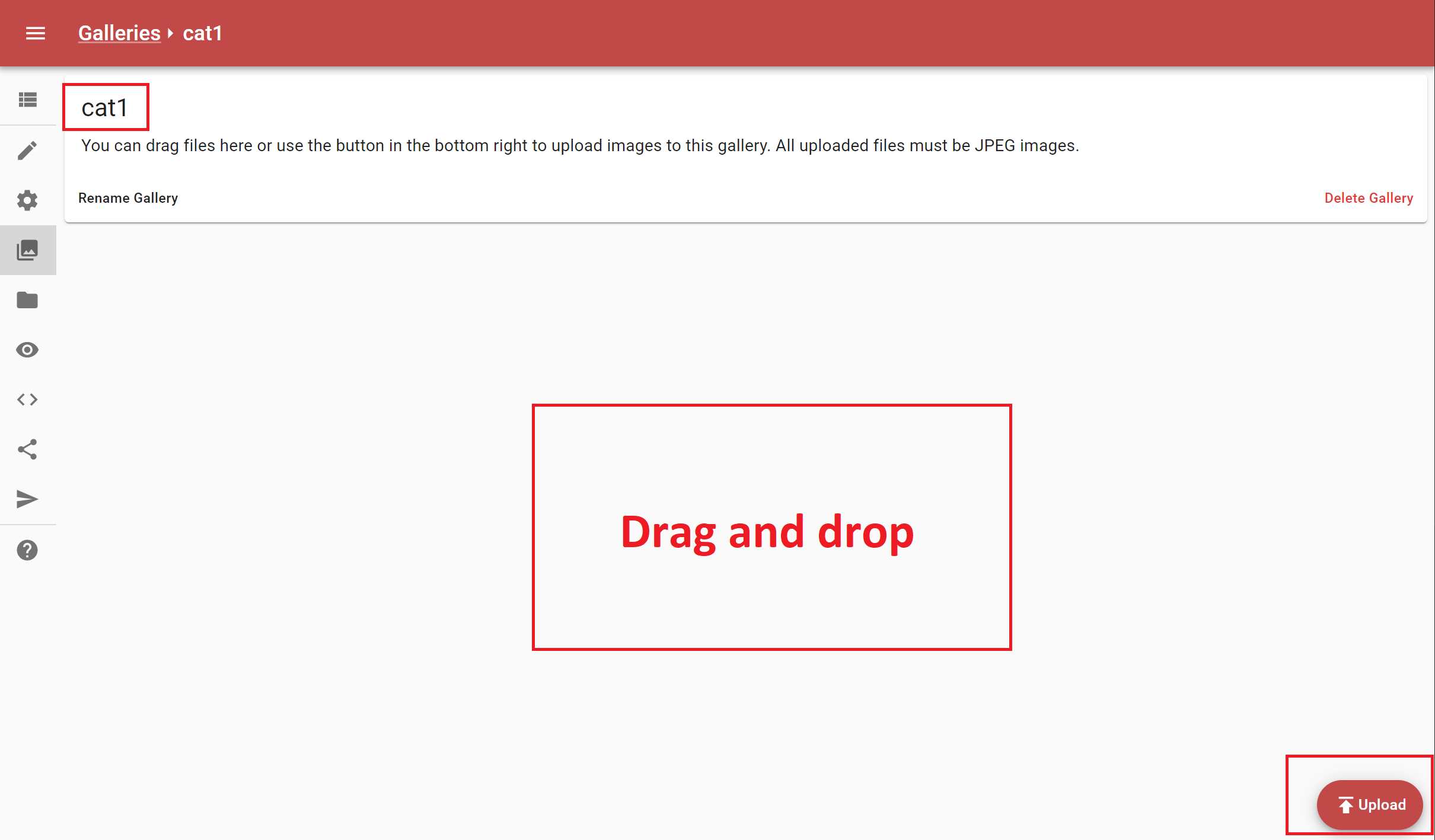
- 2020-01-09 21_05_04-Eos Editor.png (67.41 KiB) Viewed 5553 times
4. Check your work with the preview function
Just jump to the preview button and give it a try.
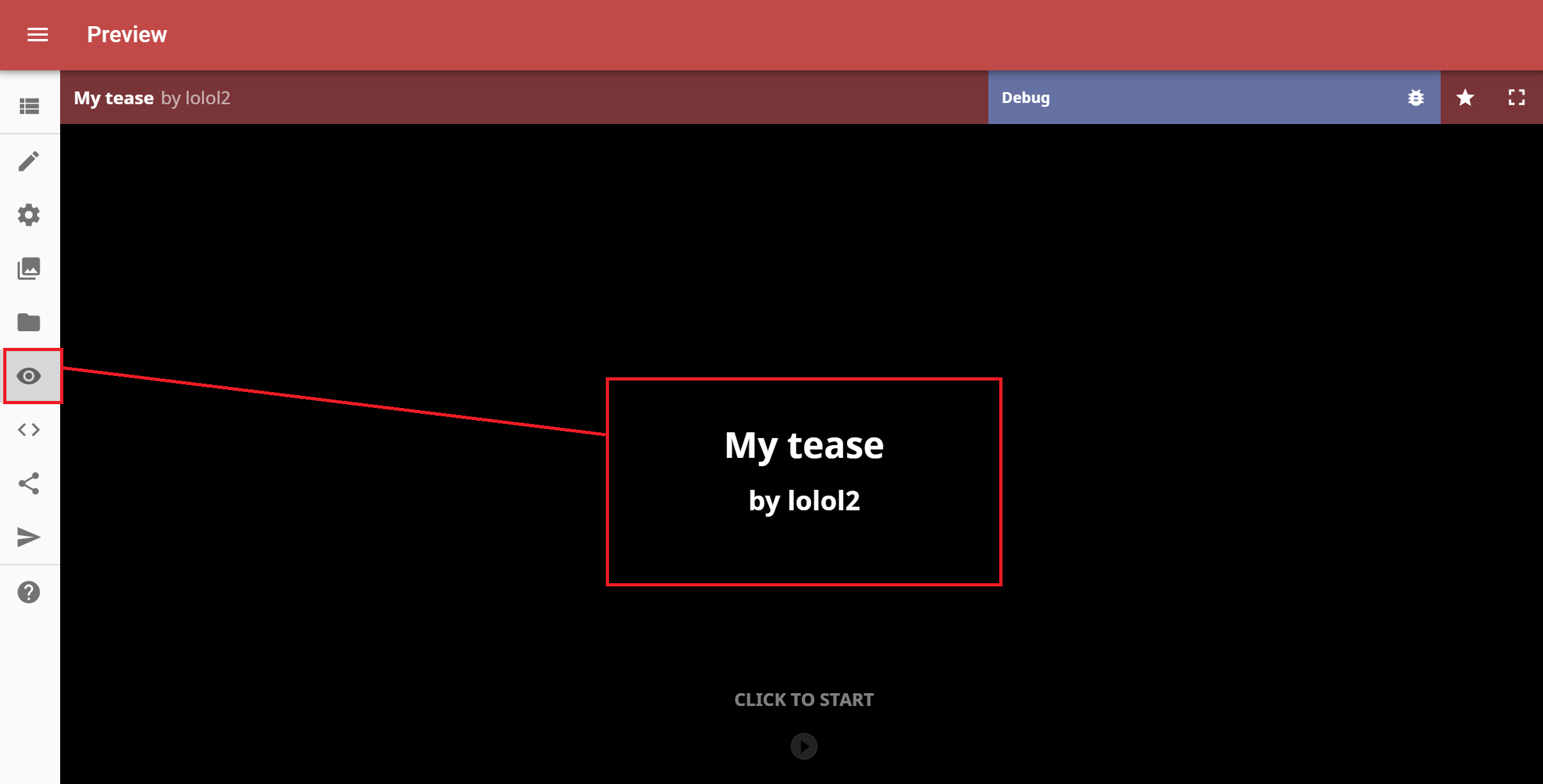
- 2020-01-09 21_05_27-Eos Editor.png (51.48 KiB) Viewed 5553 times
5. Share it with us!
If you want to share your work with us just click on the share button, copy the link and add a comment here or send someone a PM.
Of course you can change anything else too, just wanted to give a little tutorial for the basic picture change stuff.
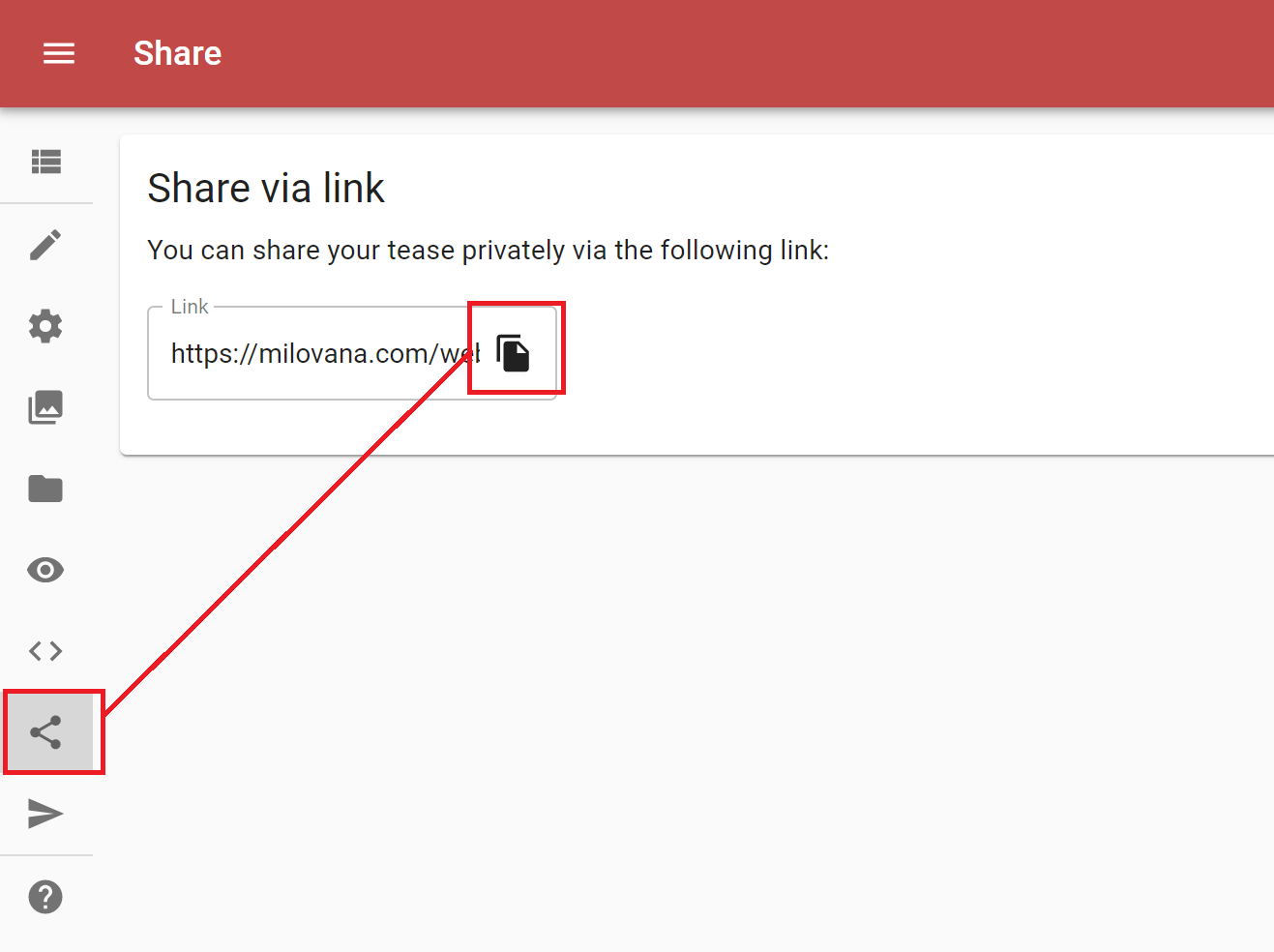
- 2020-01-09 21_05_40-Eos Editor.png (39.86 KiB) Viewed 5553 times