I tried your suggestion of making the buttons invisible. I did a test run after entering the code for the first one and all the buttons are now invisible!
What have I done wrong?
Screenshot included so you can see what's happening
Your first webtease? Let us help you out!
-
HitThemHarder
- Explorer

- Posts: 10
- Joined: Thu Apr 17, 2025 10:15 pm
Re: Your first webtease? Let us help you out!
- Attachments
-
- Screenshot (1).png (109.88 KiB) Viewed 17952 times
-
phönix

- Explorer At Heart

- Posts: 702
- Joined: Thu Jun 11, 2020 7:14 am
- Gender: Male
- Sexual Orientation: Open to new ideas!
- I am a: Switch
Re: Your first webtease? Let us help you out!
All on this screenshot looks okay.
Have you set the timing of the say action right before the choice action to 'instant' ? (wild guess)
Have you set the timing of the say action right before the choice action to 'instant' ? (wild guess)
-
HitThemHarder
- Explorer
- Posts: 10
- Joined: Thu Apr 17, 2025 10:15 pm
Re: Your first webtease? Let us help you out!
How do I create a dice roll?
And, can I contain one within a notification?
I'm creating a page where the task lasts for 20 mins
The user can take a break whenever they like but must roll a 6 to resume
Rolling 1-5 will result in a punishment and re-roll
Can anyone help me?
And, can I contain one within a notification?
I'm creating a page where the task lasts for 20 mins
The user can take a break whenever they like but must roll a 6 to resume
Rolling 1-5 will result in a punishment and re-roll
Can anyone help me?

Re: Your first webtease? Let us help you out!
Hi
I attempted my first EOS tease and created a short 20 page tease that appeared to work perfectly. However, when I went to the publish tab it told me that there were errors that needed correcting before I could post it. I don't really understand what the errors are and even deleting the pages where it said the errors existed didn't solve the problem.
Here is what I can see.
Validation Errors
pages.page2[0].image.locator Must be at least 1 characters long
pages.page2[0].image.locator Does not match the regex pattern ^(file:[^\/]+|gallery:[0-9a-f]{8}-[0-9a-f]{4}-[0-9a-f]{4}-[0-9a-f]{4}-[0-9a-f]{12}\/(\*|[0-9]+))$
pages.page17[2].timer.duration Does not match the regex pattern ^(([1-9][0-9]*(\.[0-9]*[1-9])?|0(\.[0-9]*[1-9])?)(w|d|h|m|s|ms))+(-(([1-9][0-9]*(\.[0-9]*[1-9])?|0(\.[0-9]*[1-9])?)(w|d|h|m|s|ms))+)?$
pages.page17[2].timer.duration Does not match the regex pattern ^\$.*$
pages.page17[2].timer.duration Failed to match at least one schema
I attempted a second tease, but right away it has a validation error because it keeps telling me that I must have a page called START, which I have.
Any help would be appreciated.
I actually redid this tease in the Classic Editor but I would like to know how to use this so that I can create EOS teases in future
Thanks
666
I attempted my first EOS tease and created a short 20 page tease that appeared to work perfectly. However, when I went to the publish tab it told me that there were errors that needed correcting before I could post it. I don't really understand what the errors are and even deleting the pages where it said the errors existed didn't solve the problem.
Here is what I can see.
Validation Errors
pages.page2[0].image.locator Must be at least 1 characters long
pages.page2[0].image.locator Does not match the regex pattern ^(file:[^\/]+|gallery:[0-9a-f]{8}-[0-9a-f]{4}-[0-9a-f]{4}-[0-9a-f]{4}-[0-9a-f]{12}\/(\*|[0-9]+))$
pages.page17[2].timer.duration Does not match the regex pattern ^(([1-9][0-9]*(\.[0-9]*[1-9])?|0(\.[0-9]*[1-9])?)(w|d|h|m|s|ms))+(-(([1-9][0-9]*(\.[0-9]*[1-9])?|0(\.[0-9]*[1-9])?)(w|d|h|m|s|ms))+)?$
pages.page17[2].timer.duration Does not match the regex pattern ^\$.*$
pages.page17[2].timer.duration Failed to match at least one schema
I attempted a second tease, but right away it has a validation error because it keeps telling me that I must have a page called START, which I have.
Any help would be appreciated.
I actually redid this tease in the Classic Editor but I would like to know how to use this so that I can create EOS teases in future
Thanks
666

Re: Your first webtease? Let us help you out!
I'm guessing you are getting an image error because you probably have a blank image on "Page2". Try deleting that if you can find one and see what it says.
For the timer one, I had this same issue. It is basically saying that you have a timer on "Page17" that does not have a unit of measurement. For some reason when you preview something with a timer of "3" it will assume that it is 3 seconds in the previewer. However, when you go to publish it it needs a unit like "3s" for 3 seconds.
Try those two fixes and try it again. I had very similar errors when I first started so hopefully you can get through them. Feel free to reach out with any more questions!
EDIT: (It's possible that needing a page called start needs to be all lower case, not sure if that is your other issue)
For the timer one, I had this same issue. It is basically saying that you have a timer on "Page17" that does not have a unit of measurement. For some reason when you preview something with a timer of "3" it will assume that it is 3 seconds in the previewer. However, when you go to publish it it needs a unit like "3s" for 3 seconds.
Try those two fixes and try it again. I had very similar errors when I first started so hopefully you can get through them. Feel free to reach out with any more questions!
EDIT: (It's possible that needing a page called start needs to be all lower case, not sure if that is your other issue)
Re: Your first webtease? Let us help you out!
I was hoping someone else could give you a better answer than the inefficient nonsense that I would. What comes to mind is that Math.random() will return a value between 0 and 1. (so it could return like .325154848 or something)HitThemHarder wrote: Thu Jun 05, 2025 10:45 am How do I create a dice roll?
And, can I contain one within a notification?
I'm creating a page where the task lasts for 20 mins
The user can take a break whenever they like but must roll a 6 to resume
Rolling 1-5 will result in a punishment and re-roll
Can anyone help me?
https://rocambille.github.io/en/2019/07 ... avascript/ this link gives instructions but they would have been too hard for me to follow when I was starting out.
So if you want something "simpiler" but less efficient. You could put
dice=0;
in the initiation script.
when you want to roll the dice I would suggest making an evaluation that says:
dice=Math.round(Math.random()*5)+1
Rounding to make it a round integer, the *5 and the +1 to make it return 1,2,3,4,5, or 6 randomly.
Then you can have lots of if statements like If:
dice==6
Do whatever you were wanting to do.
Someone feel free to rip apart the suggestion haha, I'm always a bit bad with these things but I get by with something good enough that I can understand.
Re: Your first webtease? Let us help you out!
Thanks, I'll have a look and come back to you.indyc wrote: Thu Jun 19, 2025 4:10 pm I'm guessing you are getting an image error because you probably have a blank image on "Page2". Try deleting that if you can find one and see what it says.
For the timer one, I had this same issue. It is basically saying that you have a timer on "Page17" that does not have a unit of measurement. For some reason when you preview something with a timer of "3" it will assume that it is 3 seconds in the previewer. However, when you go to publish it it needs a unit like "3s" for 3 seconds.
Try those two fixes and try it again. I had very similar errors when I first started so hopefully you can get through them. Feel free to reach out with any more questions!
EDIT: (It's possible that needing a page called start needs to be all lower case, not sure if that is your other issue)
Re: Your first webtease? Let us help you out!
Well I had already deleted the page 2 to see if that would clear the errors... kind of odd that the errors still showed up even once the page was deleted I think. But there was definitely a picture there before. I created a new page2 and added an image but the errors are still just the same... it's like the validation errors have nothing to do with what's actually there.
As for the timer that does have a value and again even if I delete the timer from the page I still get the error...
As for the timer that does have a value and again even if I delete the timer from the page I still get the error...
Re: Your first webtease? Let us help you out!
Perhaps some errors are pointing to the wrong thing (I remember having trouble with that too), I would suggest checking all of your timers and pictures. Also, make sure it is actually saving when you make changes in the upper right of the editor. Good luck!
Re: Your first webtease? Let us help you out!
All of the timers seem to be in the correct format and all pages have a picture. I just tried deleting all the pages, just leaving a blank 'Start' page and the validiation errors are still there.
Re: Your first webtease? Let us help you out!
Hey. A simple dice roll is easy to implement. To create a random number and store it in a variable called 'die', create an 'Eval' action and type following:HitThemHarder wrote: Thu Jun 05, 2025 10:45 am How do I create a dice roll?
And, can I contain one within a notification?
I'm creating a page where the task lasts for 20 mins
The user can take a break whenever they like but must roll a 6 to resume
Rolling 1-5 will result in a punishment and re-roll
Can anyone help me?
var die = Math.floor((Math.random() * 6) +1)
Create a 'Say' action to display the result stored (use the Eval tag to display the number you have generated)
You have rolled a [die]
To implement a punishment or a break create an 'IF' action
IF die < 6 create an action to punish the user and create a 'Goto' action to return to the top of the same page and spin again.
ELSE continue down the page to other actions
Hope this helps. If you would like to see how other users solve problems. Start a new webstease, change the web browser URL from your tease's ID number to any another teases's ID number to view their code (you can save it also). My tease called Snakes and Lingerie" is simple and easy to understand as I'm not a coding expert. The ID for that tease is 40513.
Lamei
-
j3rry

- Experimentor

- Posts: 1690
- Joined: Tue Jan 14, 2020 9:20 pm
- Gender: Male
- Sexual Orientation: Straight
- I am a: Submissive
- Dom/me(s): 💕
Sonya Blaze
Jaye Summer
Rebecca 💗olpetti
Krystal Boyd
Mango/Clover
Mila Azul
Eva Elfie
Lorena Garcia
and many more...
Re: Your first webtease? Let us help you out!
666 wrote: Wed Jun 18, 2025 11:22 pm pages.page2[0].image.locator Must be at least 1 characters long
pages.page2[0].image.locator Does not match the regex pattern ^(file:[^\/]+|gallery:[0-9a-f]{8}-[0-9a-f]{4}-[0-9a-f]{4}-[0-9a-f]{4}-[0-9a-f]{12}\/(\*|[0-9]+))$
I must say, it might be lovely Katie there, who struggles inside IT. Who knows if she wants to bring me pleasure... After all of those webteases https://milovana.com/webteases/?author= ... arch=Katie Katie has an important role in my life and I will always help her, so you can write PMs any time to me.666 wrote: Thu Jun 19, 2025 6:10 pm Well I had already deleted the page 2 to see if that would clear the errors... kind of odd that the errors still showed up even once the page was deleted I think.
Firstly, You can click on each error and it will immediately show the page which needs repairing. Well, in the future, you may send me your screen so as I could see what you have there on particular error page.

Here we can see empty field called Locator, it should help if you click Select image here.
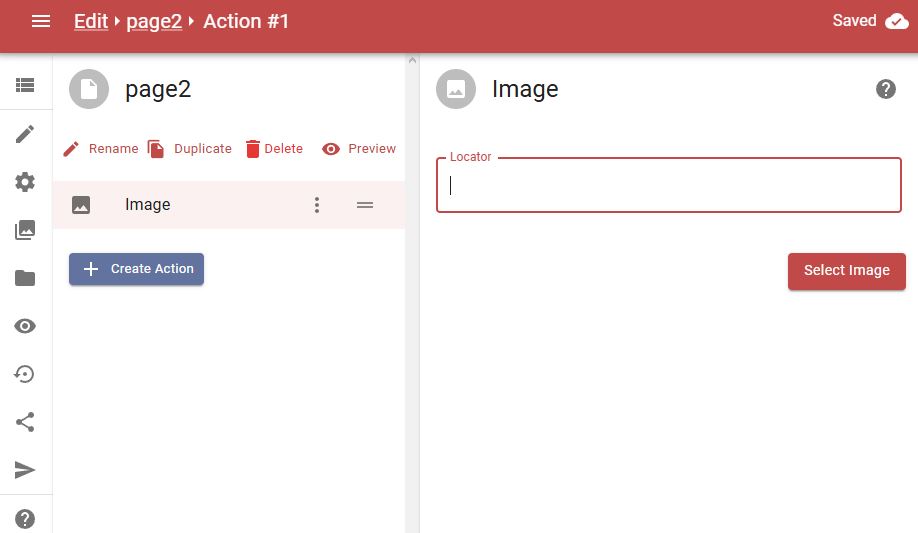
Please check if you have your filename and the preview visible as below

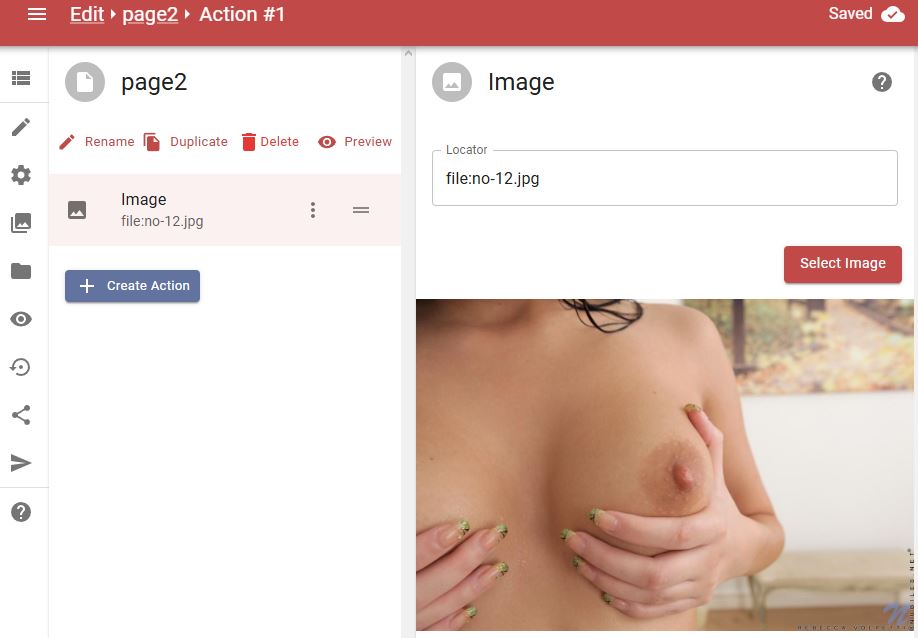
Although I repaired such error by adding that image and clicked on Publish, but they still display that previous error...

However, I know how to fix it. I just closed the browser's window and opened again EOS editor and chose my webtease, and finally that particular error disappeared.
I will help more if I get your link from Share option.
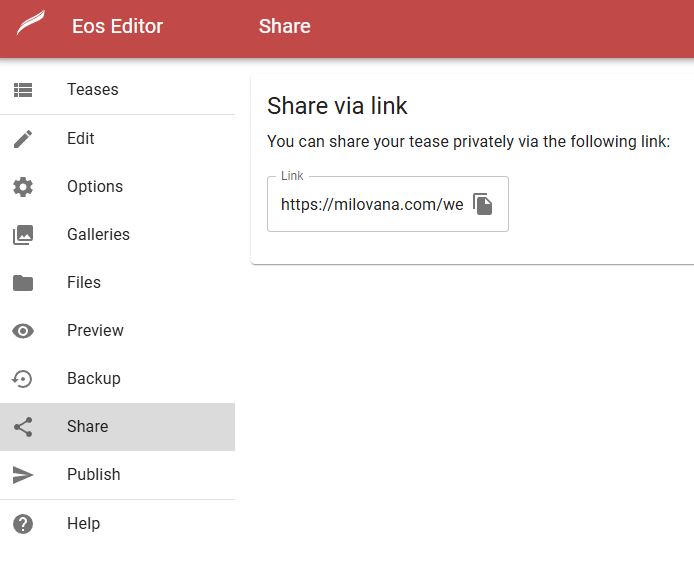
So I think you need to do what I've already said (close the EOS editor and open it again, so it will reload everything correctly) just before publishing, because the publish button happens to work faulty.666 wrote: Thu Jun 19, 2025 6:10 pm I created a new page2 and added an image but the errors are still just the same... it's like the validation errors have nothing to do with what's actually there.
I dunno what you wrote incorrectly there but let's focus now on valid formats.666 wrote: Thu Jun 19, 2025 6:10 pm As for the timer that does have a value and again even if I delete the timer from the page I still get the error...
A duration consists of one or more number-unit pairs:
- w = weeks
- d = days
- h = hours
- m = minutes
- s = seconds
- ms = milliseconds (where 1000 ms = 1 s, 500 ms = 0.5 s, ...)
Code: Select all
1h
30m
1h30m
2d4h15m
500ms
1.5h
0.5s
1w2d3h4m5s6msCode: Select all
1h-2h
30m-1h
1d12h-2dCode: Select all
0h          ❌ (zero isn't allowed)
1 h         ❌ (spaces)
1hour       ❌ (must use h)
1m 30s      ❌ (spaces)
01h         ❌ (leading zeros)
1.0h        ❌ (decimal ends with 0)
1h-         ❌
-1h ❌Code: Select all
1.5h   ✅
1.25h  ✅
1.50h  ❌
1.0h   ❌
0.25s  ✅
0.20s ❌If your value marked as a validation error is still improper, just tell me your own input value you're trying to submit, and I will try helping how to write it successfully. I hope Katie would like to play with me.