philo wrote: Sun Aug 13, 2017 8:42 pm
PlayfulGuy wrote: Sun Aug 13, 2017 2:23 am
The (hopefully) attached zip file contains
FormBugTest.xml and folder
FormBugDemo to demonstrate, along with code to demo another issue I found.
The refresh button issue was caused by nothing being selected in the select list, when it was getting the values entered on the form, it was expecting something to be selected.
I have fixed that and it will be in the next release.
The button click, I couldn't get to go wrong, which is probably because I had already found the issue and fixed it.
So hopefully both will work when I get the release out.
Excellent! Thanks.
I have another interesting one for you that I discovered by accident the other day, but it explains something I've been seeing for ages. I've modified FormBugTest.xml to illustrate. In the version I sent you earlier the three form fields are named ScriptFile, ScriptPath and StartLabel. In that code I use the same variable name in my javascript to hold those values. If you look at the debug window you see the three variables as shown below.
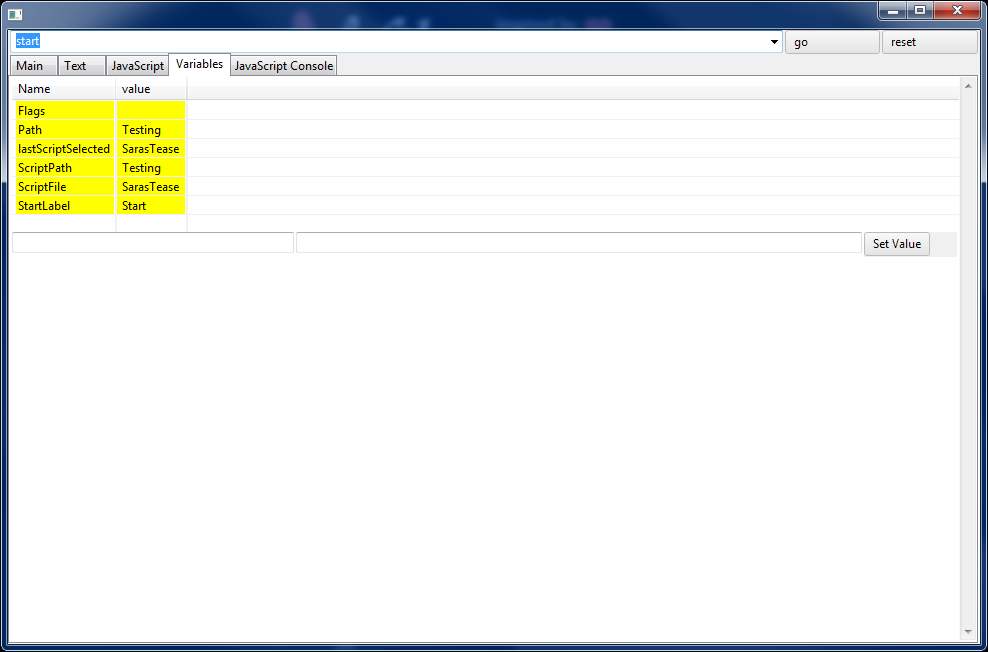
- Debug1.png (44.33 KiB) Viewed 2352 times
In the FormBugTest.xml attached above I've changed the names of the form fields to TheScriptFile, TheScriptPath TheStartLabel. If I load that and run it and then look in the debug window Guideme has created three more variables with those names. Huh?
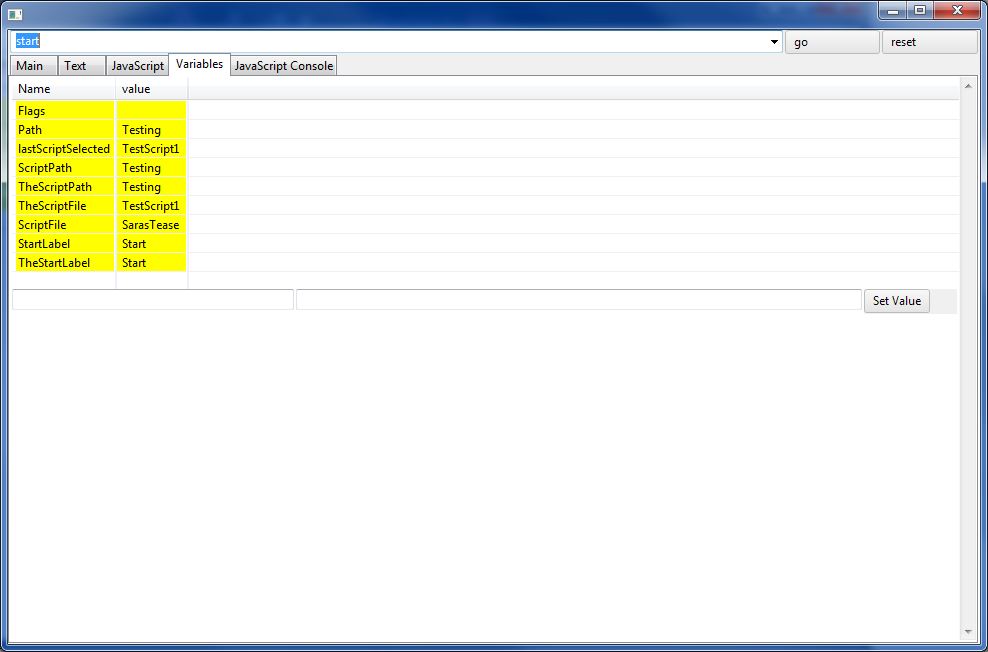
- Debug2.png (44.92 KiB) Viewed 2352 times
Now here is where it gets really interesting. In Guideme 1.5 to keep things neat and tidy I added code (calls to scriptVars.remove) to delete those scriptvars after fetching the form data and all was good.
In Guideme 3.3 the excess scriptvars (which really shouldn't get created in the first place) don't go away. The calls to scriptvars.remove seem to execute properly, but the variables persist. I checked the state file and they are stored there in the state file with all the other script vars, even though I never created these.
As a test I added a second page (start2) that just deletes these variables. When you go to that page the debug window still shows them, but when you go back to the original page they're gone, so it also seems that the debug window is a bit out of sync with reality. I don't need any of those extra steps in Guideme 1.5.
So to sum up there, as I see it there are two issues. These variables that get created out of thin air, and the debug window being a bit out of sync.
And, not to be a bother, but while we're at it, in Guideme 3.3 all of the time stamps in both the Guideme and Jscript logs have a T between the date and time like this
2017-08-14T15:59:39,725 INFO Jscript .....
Not a big deal, but it's way more readable with a space there.
And finally, since I'm on a roll, in version 3.3 in the Guideme.log I'm also seeing this error whenever it tries to play the page "tick" sound (there's about 50 more lines of that but I'll spare you). I've not noticed this before so maybe it's just something weird today and I need a reboot or something.
2017-08-14T15:58:53,525 INFO MainLogic - MainLogic getMainLogic songPath file:/D:/Docs/Naughty/Guideme-3.3/tick.wav
2017-08-14T15:59:54,838 ERROR App - Main error Argument not valid
java.lang.IllegalArgumentException: Argument not valid
at org.eclipse.swt.SWT.error(Unknown Source)
at org.eclipse.swt.SWT.error(Unknown Source)
at org.eclipse.swt.SWT.error(Unknown Source)
at org.eclipse.swt.graphics.GC.setFont(Unknown Source)
at com.snapps.swt.SquareButton.drawText(SquareButton.java:435)
Sorry for the extra long post and for throwing all that in at once.
Cheers,
PG






 One quick additional questions... any way to automatically get the length from a randomly selected video or audio file in a script and save it as an variable?
