Hi MrLobo,
Thanks a lot, I finally got my first video out. This looks incredibly fun :D
Some feedback
- the text model error went away after I redownloaded it from your link and renamed it to fit the hardcoded value. I'll try to do some more testing regarding the path format in config.toml. I'm on windows 10, and moving the app from C: to another partition seemed to remove some access rights problems (e.g. log file).
- I understand now the source folder acts like a 'Add new sources to existing project', which is quite handy. I first thought it was the folder for the current sources of the project. Maybe you could edit a bit the lable/tooltip ? For big projects it could be handy to display somewhere in the GUI the current list of sources, maybe open a file explorer showing frames/ ?
- minor related question: the path to the actual video files is recorded somewhere in the project database, so the files should not be moved after thay have been processed ?
- running the CPU version of llama does appear to work, although slowly. The text model is reasonnable, a few minutes for a very simple prompt like 'go from clothed to naked'. I'll see how this scales up for more elaborate prompts. The longest part is the sources processing, but I don't mind adding them one folder at a time and letting it run overnight. So yay :D
- to speed up the process I'm using low settings, such as 320 resolution for video analysis, 1fps etc. Do you know how one could assess how this affects the end results ? For instance, is there a way to check the description given to a specific clip ? The user could then use a test video source to tune the settings.
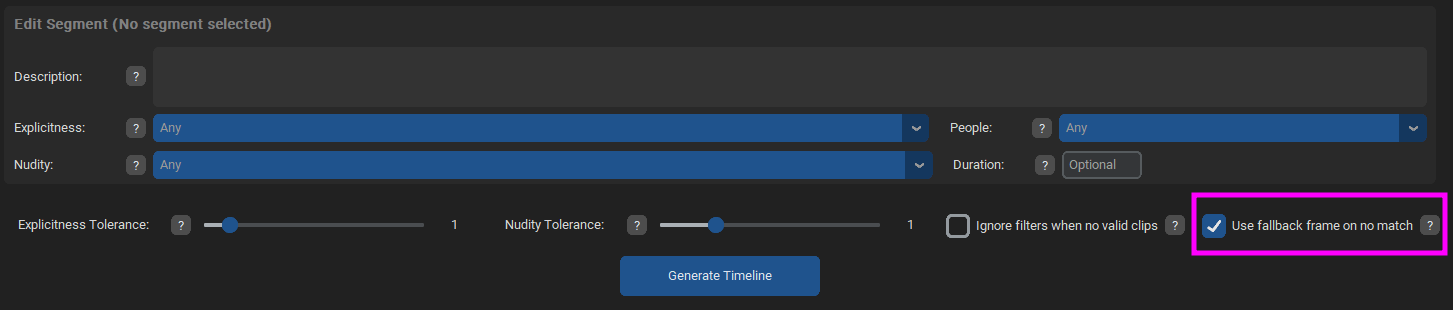
- I regularly got the missing clips error and finally checked the 'use nearest clip' option. Maybe this could be the default, with a warning logged (similar to the error message: can not find clip for segment etc, nearest was ... > 0.55).
- unless I missed something, there is currently a single audio file. It would be great to have a playlist with several songs, but maybe this would complicate the timeline part ? I guess you can generate a video for each song then concatenate them later manually. By the way, a new (second) window pops up after video export, is this intentional ?
- minor quirk: the GUI does not seem to be resizable smaller than 1080 ?
- regarding the setting roundoff, I now set them directly in config.toml instead of the project, but it looked like some format conversion thing. In the example below the value was set at 0.3 before saving the project, and after reloading it got
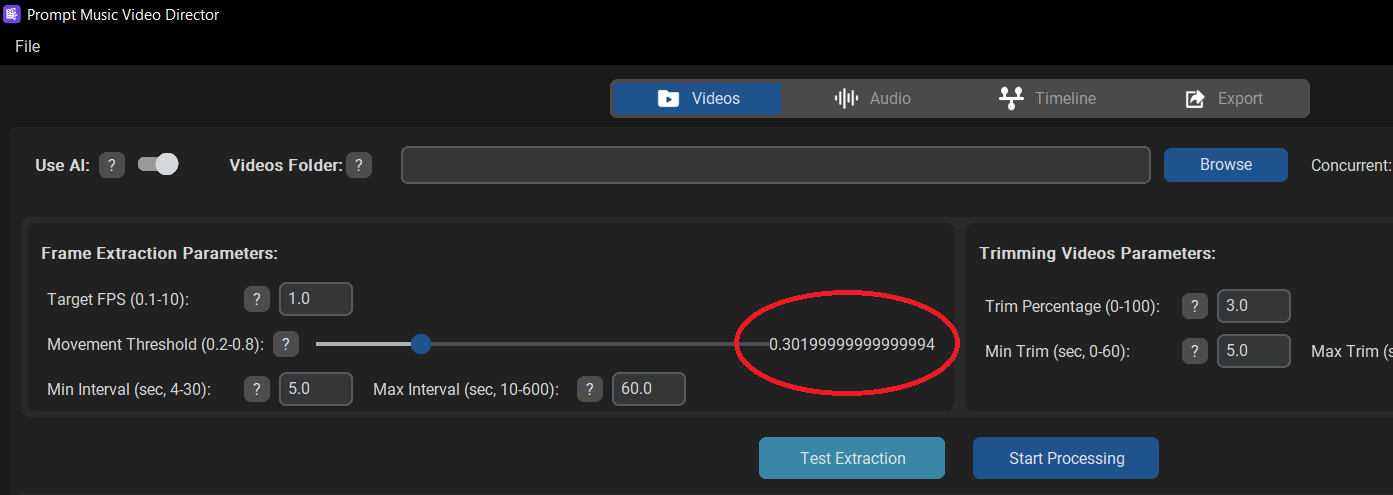
- Screenshot (1).png (41.04 KiB) Viewed 5005 times
That's it for now

Thanks again for sharing the app !