Page 2 of 4

Re: FB: Estim Challenge

Posted: Sun Jan 05, 2020 1:57 pm
by lolol2
I have updated the tease a few moments ago:

- Added 4 option for estim sound typs, check the settings!
- Fixed a bug which could made the stop button disappear
- Fixed a bug which could have made the sound stop for up to 5min
- Fixed a few language problems

Thx for all the feedback so far!
Would like to get more feedback about the new soundfiles. :yes:

Re: FB: Estim Challenge

Posted: Tue Jan 07, 2020 9:14 am
by thebears73
This was great the first time around, but now just a little boring, sorry. Just too repetitive. Tried again with new sound files (option 3) and didn't notice a great deal of difference on a 2B.

Also at 127 pictures, the pictures stopped showing so stopped it at about 140 pictures in.

As a recommendation and to get the best out of users screens i would put the picture on the left and text on the right, that way you can have a bigger image and don't have to scroll text thats tiny at the bottom of a screen, especially when playing on a 13" macbook.

Keep up the great work, im sure plenty will find this entertaining and you certainly deserve a knighthood for your efforts to the estim community.

Re: FB: Estim Challenge

Posted: Tue Jan 07, 2020 3:34 pm
by lolol2
Thx for your feedback, yeah it has no big replayability, it's still just a little technical demo to try a bit around with the new editor.
But I thought better than nothing, like I wrote in the first comment. :-D

thebears73 wrote: Tue Jan 07, 2020 9:14 am Also at 127 pictures, the pictures stopped showing so stopped it at about 140 pictures in.
Jep there is a bug in EOS that I already reported in the EOS thread, could lead to random problems like that.
I guess this will fixed soon, hopefully.

thebears73 wrote: Tue Jan 07, 2020 9:14 am As a recommendation and to get the best out of users screens i would put the picture on the left and text on the right, that way you can have a bigger image and don't have to scroll text thats tiny at the bottom of a screen, especially when playing on a 13" macbook.
No option to change the layout, it's fixed in EOS, I would also like your idea more.
GuideMe shows how good this works.
But don't want to complain, compared to the flash editor this thing is a masterpeace. :-D

Re: FB: Estim Challenge

Posted: Thu Jan 09, 2020 8:33 pm
by lolol2
Okay time to share the code like promised!
I will also add some little tutorial how to easy change pictures and share it with us.

Maybe there is someone out there who want to share his/her own creation. :wave:
Of course everyone else who just want to see how it works is also welcome to get a look on it!


0. Prologue - Please read!

First off all, I don't own any of the picture copyright that gets loaded from the import!
The soundfiles are all my creation and can be used for everything you want!

Please don't publish a tease on Milovana which has just other pictures uploaded and nothing else.
I show you a way at 5. how you can easy share your creation with all of us.
I just don't want that there are several public teases with exactly the same thing that referring to my tease.
Please accept that, I trust you in sharing my work with you!

Of course that doesn't mean that you can not take parts and ideas of my work, build your own tease with that and make it public! Feel free to use everything you want and add it to your own tease! :yes:

Just don't add pictures which takes 3min and hit the share button. ;-)


1. Go to the editor and create a tease!

Make sure you create a new tease if you already have your own one because it gets overwritten in the next step!

https://milovana.com/eos/editor/


2. Upload the .json file

Please send me a PM and I will send you the file, I don't want to share it public here.

Now jump to the code tab and click on the "Upload Code" button, next let everything selected.
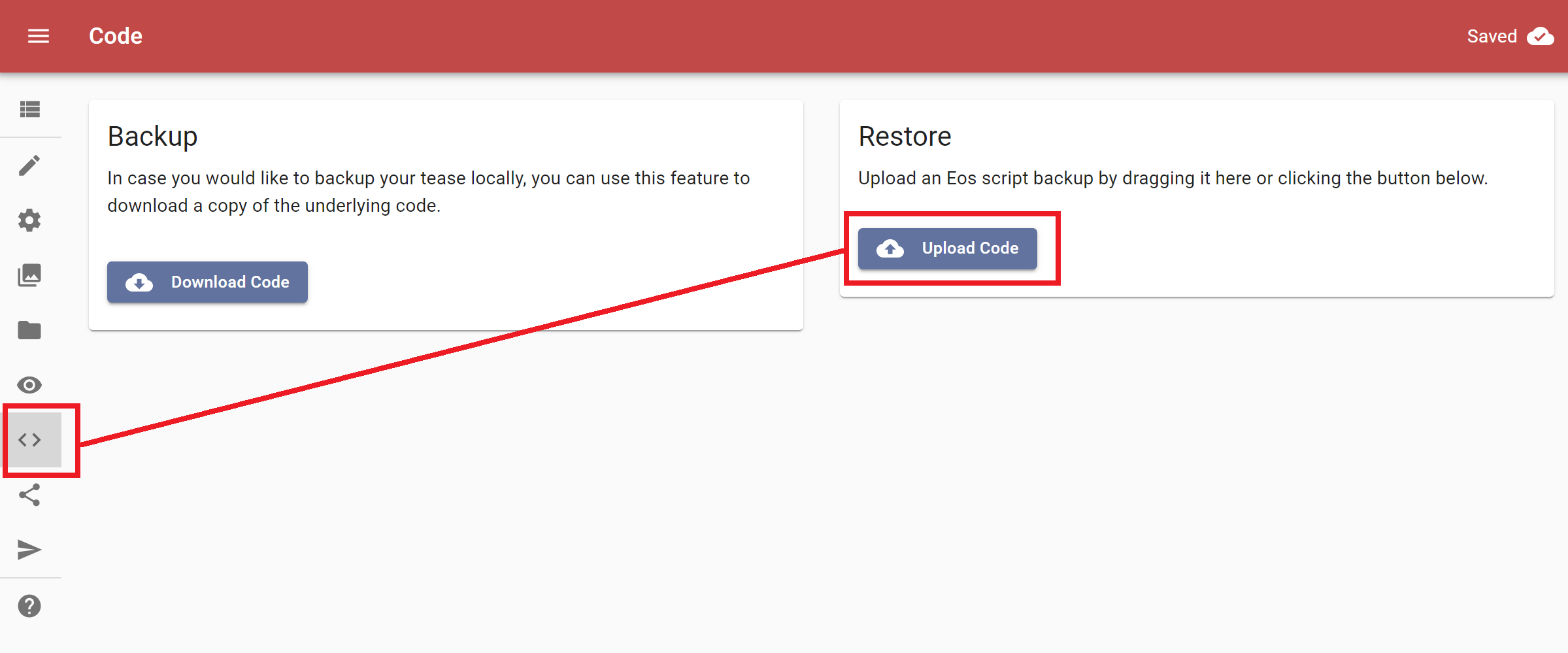
2020-01-09 21_03_54-Eos Editor.png
2020-01-09 21_03_54-Eos Editor.png (70.44 KiB) Viewed 5570 times
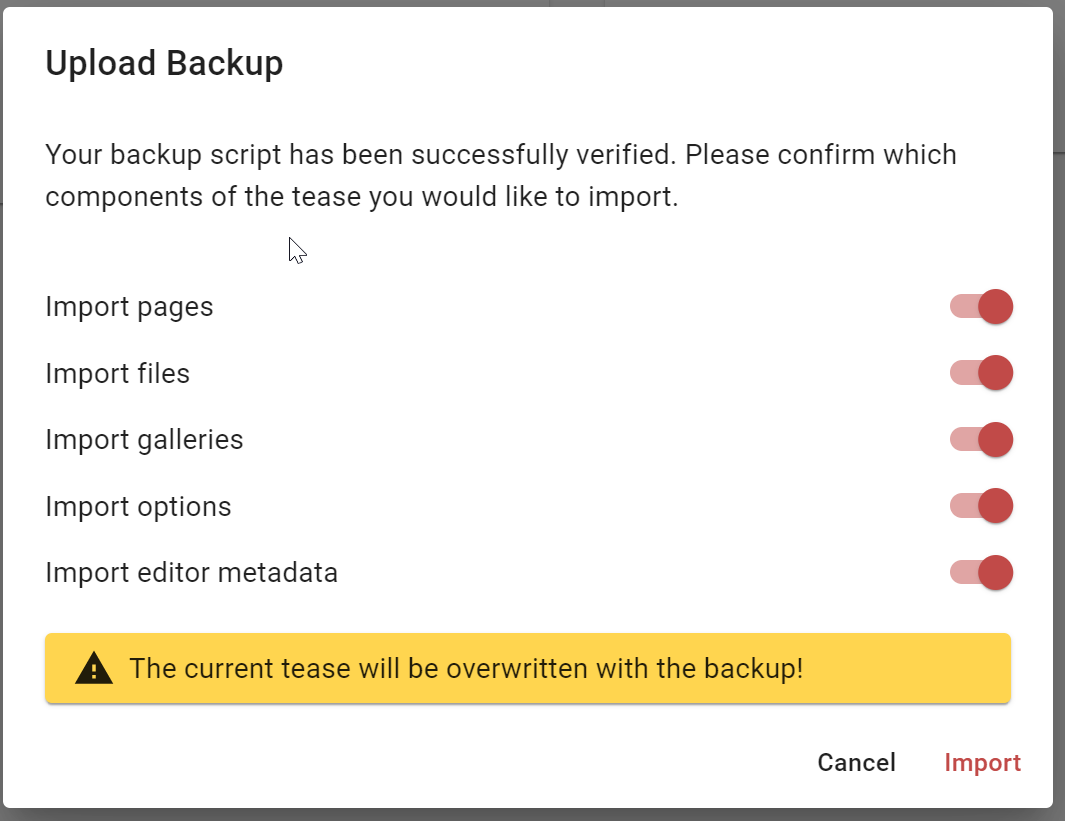
2020-01-09 21_04_15-Eos Editor.png
2020-01-09 21_04_15-Eos Editor.png (57.23 KiB) Viewed 5570 times


3. Upload your own pictures


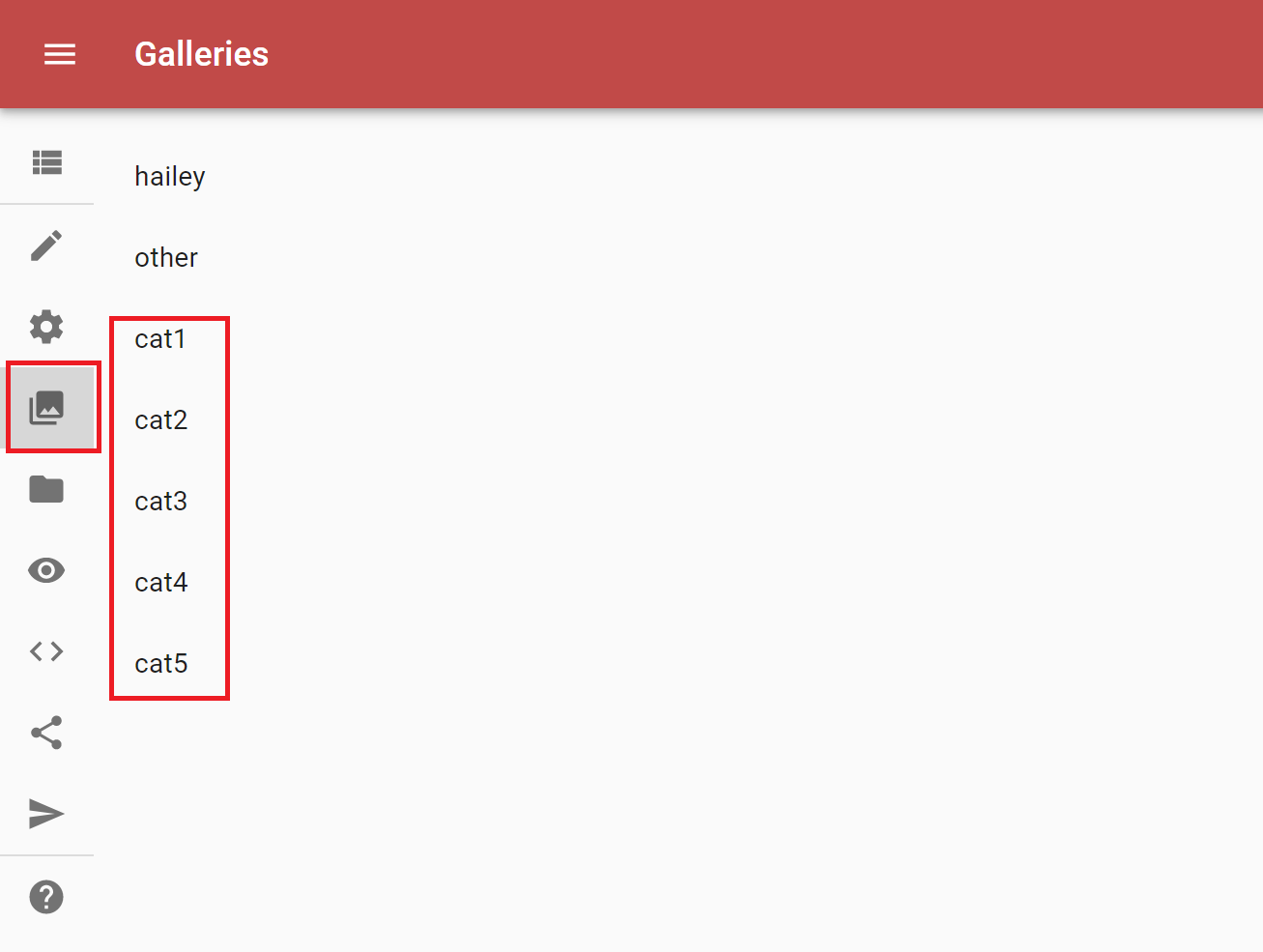
Jump to the gallery tab, here you can find one gallery for every category.
Just click on the one you want to upload pictures for.
2020-01-09 21_04_47-Eos Editor.png
2020-01-09 21_04_47-Eos Editor.png (27.21 KiB) Viewed 5570 times

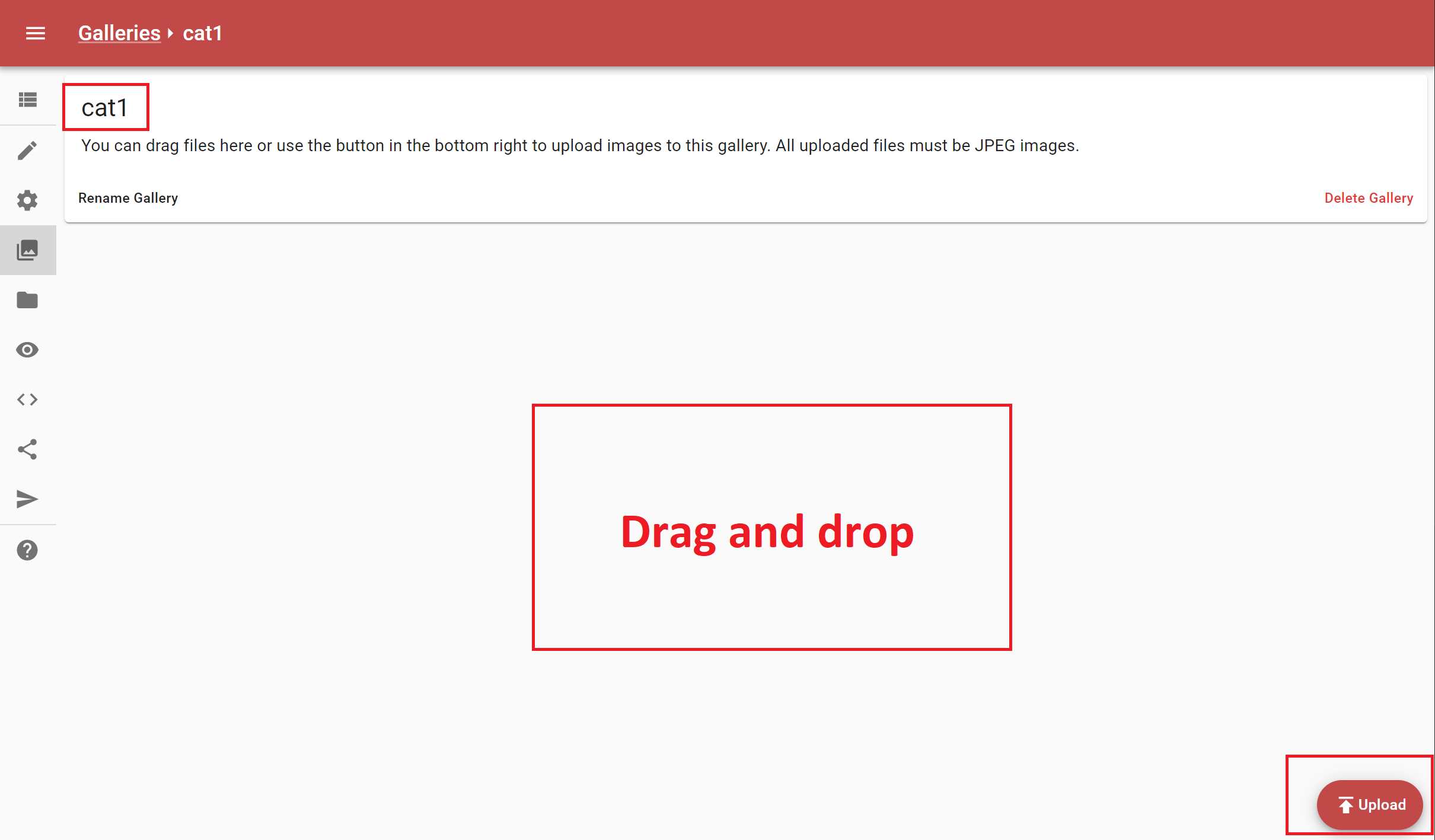
Next you click on the upload button or just drag and drop your pictures in that window.
2020-01-09 21_05_04-Eos Editor.png
2020-01-09 21_05_04-Eos Editor.png (67.41 KiB) Viewed 5570 times


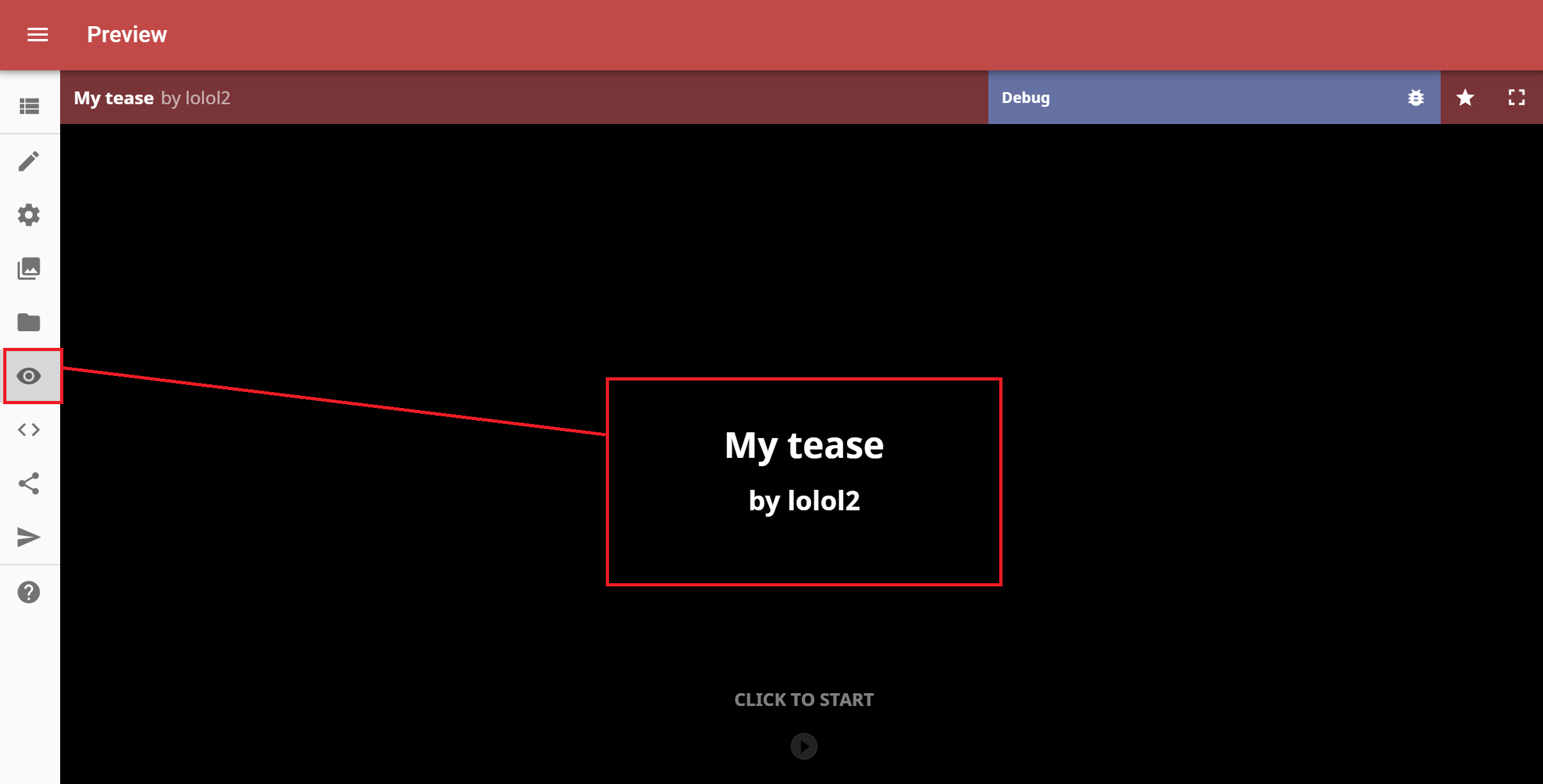
4. Check your work with the preview function

Just jump to the preview button and give it a try.
2020-01-09 21_05_27-Eos Editor.png
2020-01-09 21_05_27-Eos Editor.png (51.48 KiB) Viewed 5570 times


5. Share it with us!

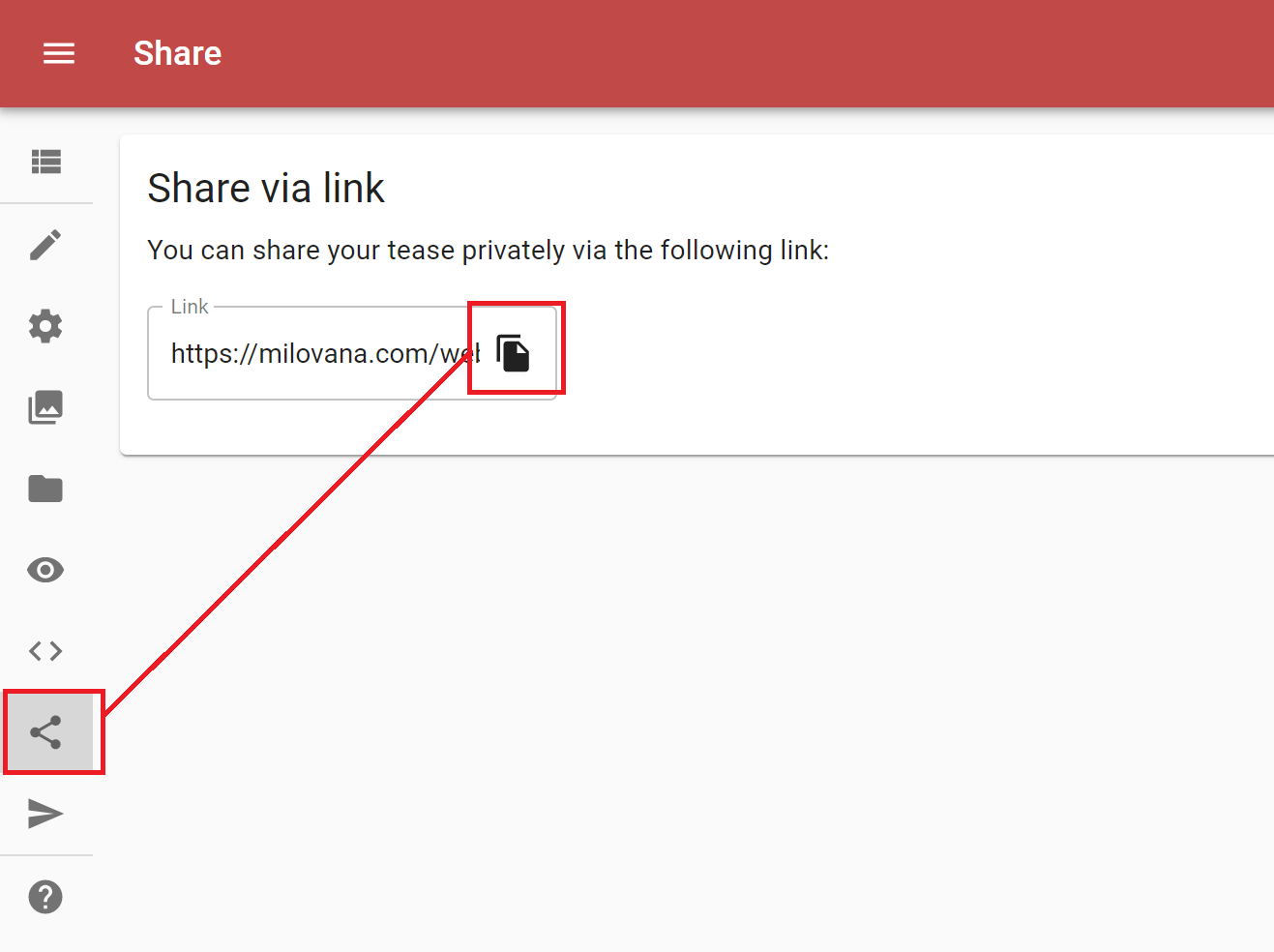
If you want to share your work with us just click on the share button, copy the link and add a comment here or send someone a PM. :wave:

Of course you can change anything else too, just wanted to give a little tutorial for the basic picture change stuff.
2020-01-09 21_05_40-Eos Editor.png
2020-01-09 21_05_40-Eos Editor.png (39.86 KiB) Viewed 5570 times

Re: FB: Estim Challenge

Posted: Sun Jan 12, 2020 4:09 pm
by CumScream
Hey Lolol2, thanks for a great game!

I trial'd it a bit before, but just now have completed it, so here's my feedback. Hope you find it constructive :smile:
Spoiler: show

I tried to tinker with the setting initially based on my original trial, but for some reason that didn't hold.
Not sure what broke, but after the initial calibration, before the stims kicked in, nothing was sent, and the script stalled.

So I refreshed the whole page, and accidentally started the game back on the defaults.

I found that at defaults, I had to re-calibrate a few times; i.e. despite my 'score' I'd actually raised the stim from 60 to 200% at fin.
I tried to select larger increments, with a shorter lvl1/2/3 girl count initially, to account for this.

So maybe that's an idea to take away. Asking is this will be a short/quick ramp session, or a slow methodical gradient???
(I know my answer would change from day to day).

I enjoyed all the pics & build up, but agree with what one or two other here have said. Lvl5 were great when 'sexy', vs 4x lvls of poses, but less so with just cumshots in them.

My suggestion here would be continue with a sexy theme. Maybe Sex/Masturbation GIF's, if the Tease Editor lets you add them.

The other annoyance, which is an EOS issue, but I hope will get updated in the future; relatively small images in the center of the screen, limited by the text position.
I hope that in the future, we get the option to 'pick' where text/images go in the options menu. Allow for a variation of pc/tablet/screen setup!

Radical idea's I know. But we can dream...
Overall awesome project, I'll play it again some day I'm sure.

Re: FB: Estim Challenge

Posted: Wed Jan 15, 2020 1:12 am
by curiousboy479
I just want to say thank you for a great tease. You say this is just a lite demo, but I think it is great. I love that you made it so we can change the options. Can't wait for the next one.

Re: FB: Estim Challenge

Posted: Mon Jan 27, 2020 11:32 am
by kksavas
audio update? something is diffrent than 10 hours before more challenging ^^

Re: FB: Estim Challenge

Posted: Mon Jan 27, 2020 6:25 pm
by lolol2
I didn't change anything on the tease, audio is randomly selected, so maybe just a better "luck". :-D

Re: FB: Estim Challenge

Posted: Tue Jan 28, 2020 9:47 pm
by kksavas
prefect ^^

Re: FB: Estim Challenge

Posted: Tue Jan 28, 2020 9:47 pm
by modnar
Hey,

Just wondering what people's setups are for this particular challenge. I've tried with the 312 and 2B, but can't seem to find a comfortable setup.

I'd love to know what you've found great with this tease in terms of placements, which channel and if you've used a common ground or maybe I've seen setups where people have used red/black as the common placement.

Thanks in advance.

Re: FB: Estim Challenge

Posted: Wed Jan 29, 2020 2:24 pm
by kksavas
modnar wrote: Tue Jan 28, 2020 9:47 pm I'd love to know what you've found great with this tease in terms of placements, which channel and if you've used a common ground or maybe I've seen setups where people have used red/black as the common placement.
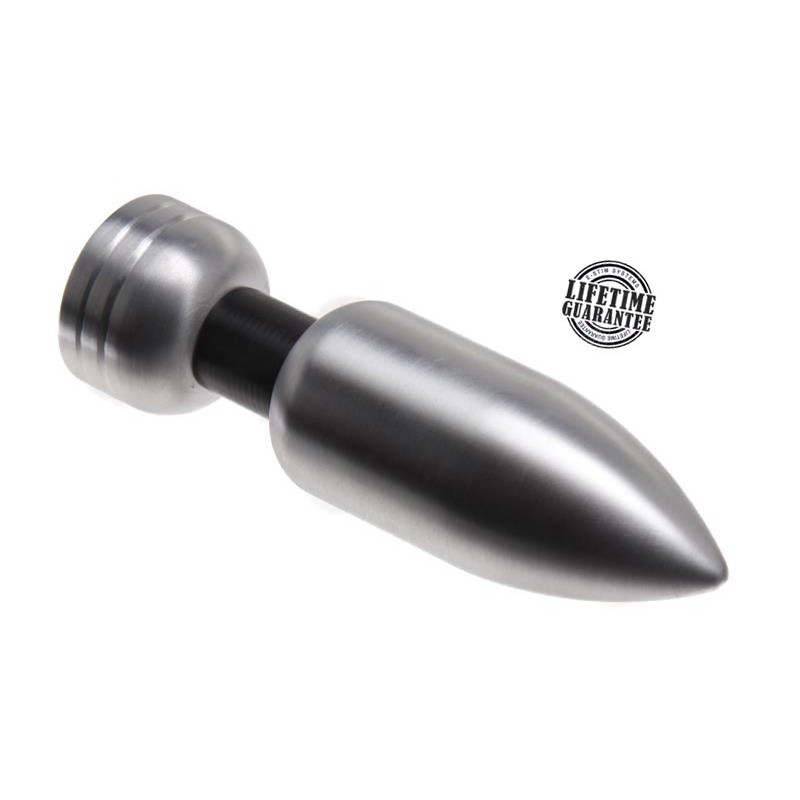
my setup is the 2B + slim jim from P.E.S (placed in a chastity cage) and big magnum plug
awesome ^^
Spoiler: show
Image
Image
Image

Re: FB: Estim Challenge

Posted: Fri Jan 31, 2020 1:37 pm
by Solid_Active
modnar wrote: Tue Jan 28, 2020 9:47 pm Hey,

Just wondering what people's setups are for this particular challenge. I've tried with the 312 and 2B, but can't seem to find a comfortable setup.

I'd love to know what you've found great with this tease in terms of placements, which channel and if you've used a common ground or maybe I've seen setups where people have used red/black as the common placement.

Thanks in advance.
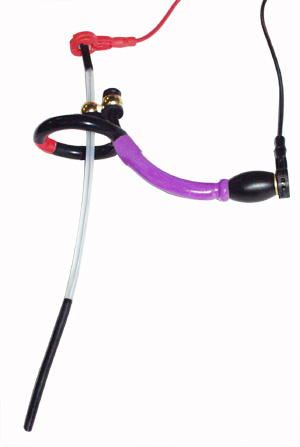
I use a sterostim unit with a length of 6mm diameter conductive tubing, and a bi-polar "Plunging Pete" electrode. The glans loop on the Plunging Pete is the common connected to red on one channel and black on the other. the other two leads get attached to the Plunging Pete urethral insert, and the conductive loop which I wrap once around just the base of the shaft, and also once around just the balls.
lolol2 wrote: Mon Jan 27, 2020 6:25 pm I didn't change anything on the tease, audio is randomly selected, so maybe just a better "luck". :-D
I'm really enjoying the "option 1" audio in this tease! What I like most about it vs the ones in E-Stim Tower is that the files last longer, and the large amount of variation most of the files have. I love it when the volume hits peak value only intermittently because I like to crank the stim unit volume up, and sustained high-power stim desensitizes me very quickly; your new stim files with lots of low-volume sections are a great way to keep sensitivity up without a bunch of silent time.

Re: FB: Estim Challenge

Posted: Fri Jan 31, 2020 2:41 pm
by lolol2
Solid_Active wrote: Fri Jan 31, 2020 1:37 pm I'm really enjoying the "option 1" audio in this tease! What I like most about it vs the ones in E-Stim Tower is that the files last longer, and the large amount of variation most of the files have. I love it when the volume hits peak value only intermittently because I like to crank the stim unit volume up, and sustained high-power stim desensitizes me very quickly; your new stim files with lots of low-volume sections are a great way to keep sensitivity up without a bunch of silent time.
That was EXACTLY the idea behind the files!!! Nice to read that it worked for others too what I had in my mind. :yes:
The short files from Tower are just a technical limitation from the old flash teases, new teases will more be like this one with longer files.

Audio file design will be more like this in the future too I think... maybe I will try to give the users the option between different file typs again.
But when the tease gets bigger and longer it's always way more work to do.

Re: FB: Estim Challenge

Posted: Wed Feb 19, 2020 2:52 am
by Solid_Active
lolol2 wrote: Fri Jan 31, 2020 2:41 pm Audio file design will be more like this in the future too I think... maybe I will try to give the users the option between different file typs again.
But when the tease gets bigger and longer it's always way more work to do.
I don't know any real programming, but shouldn't it be possible to use a variable to make this a lot quicker/easier to implement?

Say you have two different audio files:

"0001.mp3" is the normal file
"0001h.mp3" is a "harsh" version of that file

You then make a string variable named something like "SoundType", which gets set to either ".mp3" or "h.mp3". Now when you play a file, instead of using either "0001.mp3" or "0001h.mp3", you use "0001"+SoundType

Re: FB: Estim Challenge

Posted: Fri May 15, 2020 2:16 pm
by tommarr
Just want to say thank you for great tease! The way how sound files are being played and variety of them (type1) was really good. Pretty much exactly like Solid_Active said. I also tried estim tower and difference was great. Sure estim tower has more interesting story and so on but for me somehow the interruption between images are not building up so well. The way how it was handled in this tease was great! Hope you have something similar coming with estim tower 2 :blush:

Also this automatically raising volume bit by bit is a great as atleast I'm not having any ramp up feature in my device itself. No volume increase and having calibrating signal at some point tease is one option of course but in my opinion raising volume in the tease itself was really good way and no calibration was needed

Keep up the good work!