Page 1 of 1
EOS: Hidden Notification
Posted: Tue May 07, 2019 4:20 pm
by kb2002437
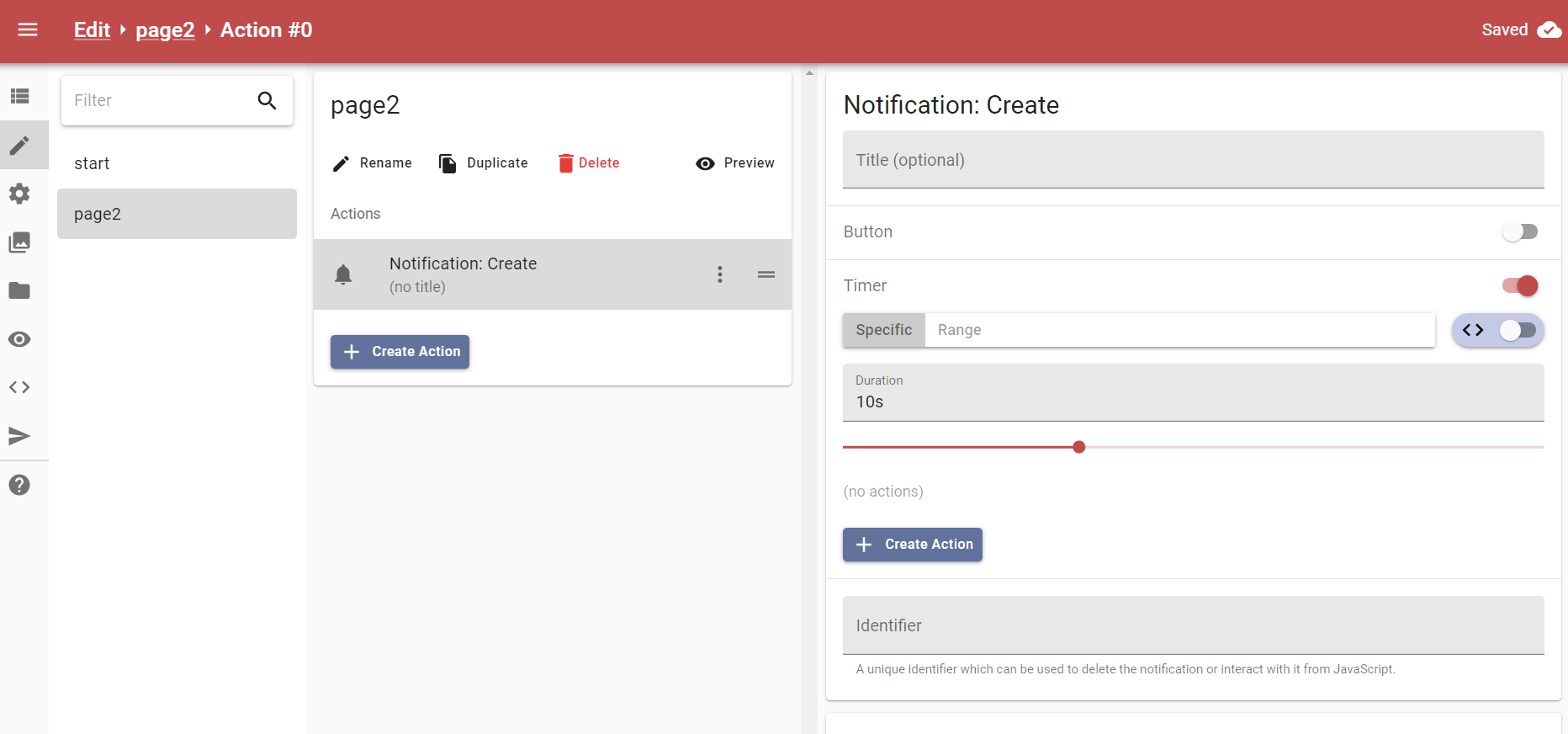
I am creating a tease that will last for 20 mins. At the end of the 20 mins, it will switch to the cum section. Currently I am using a notification with a 20 min timer. I did not add a title so only the timer shows up. Is there any way to make this also hidden? I don't want the people playing my tease to know how long they have left.
Re: EOS: Hidden Notification
Posted: Tue May 07, 2019 4:55 pm
by Shattered
Just came across this issue myself. Couldn't find a solution.
Re: EOS: Hidden Notification
Posted: Tue May 07, 2019 6:34 pm
by FATALES
How did you use the notification? add print screen.
What do you mean ?
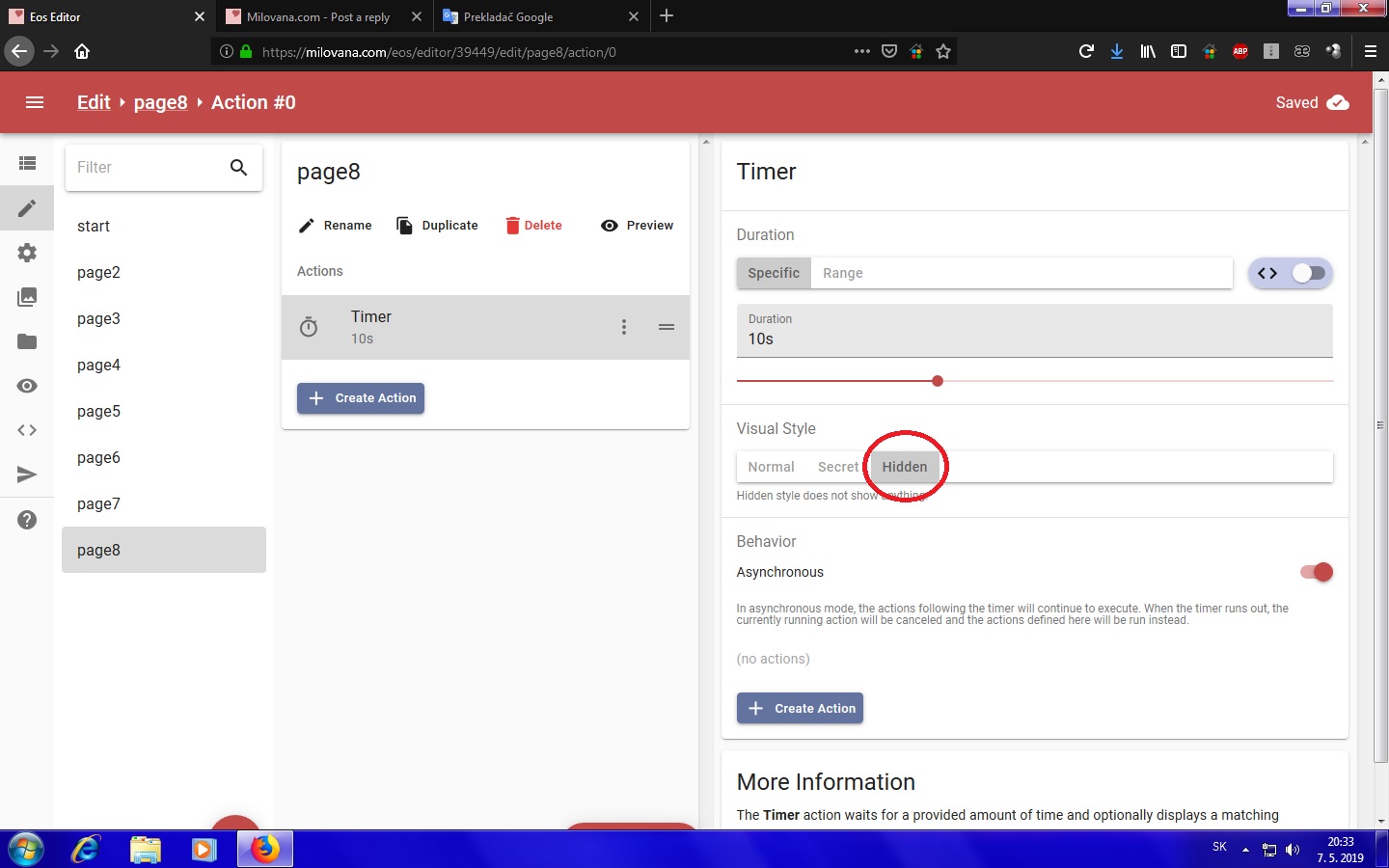
- hideentimer.jpg (175.64 KiB) Viewed 2137 times
Re: EOS: Hidden Notification
Posted: Tue May 07, 2019 10:35 pm
by kb2002437
Re: EOS: Hidden Notification
Posted: Wed May 08, 2019 3:52 am
by FATALES
There is obviously no such possibility.

Re: EOS: Hidden Notification
Posted: Wed May 08, 2019 4:46 am
by kb2002437
Okay well it should be added. I don't know why it is not.
Re: EOS: Hidden Notification
Posted: Wed May 08, 2019 12:19 pm
by Triple Alfa
I may have a workaround for you.
In your initial script add:
Code: Select all
var currentTime = Date.now();
var targetTime = currentTime + 1200000;
currentTime is the time on load since January 1, 1970 in miliseconds.
targetTime is that plus 20 minutes.
On each page add a hidden asynchronous timer with the following eval(instead of a time setting):
This should create a timer on each page that runs down to the targetTime.
If you want to start the 20 minutes not on load but after a certain page, you should just create the currentTime and targetTime variables in the initial script:
and add an eval on the page you want the time to start with:
Code: Select all
currentTime = Date.now();
targetTime = currentTime + 1200000;
Keep in mind I've only done quick testing, but it seems to work for me.
(Don't forget you can copy the timer after you've made it once.)
Re: EOS: Hidden Notification
Posted: Wed May 08, 2019 4:00 pm
by kb2002437
Great. Ty so much