Page 19 of 21
Re: Pilgrim Quest - Current Build v0.6
Posted: Tue Apr 17, 2018 7:24 pm
by philo
Looks like d3vi0n hasn't been on since the end of Feb.
I think he has in the past disapeared off to deal with real life, but usually comes back, so I wouldn't worry too much.
Re: Pilgrim Quest - Current Build v0.6
Posted: Thu Apr 19, 2018 2:07 am
by ospray
Just wanted to say, I am still excited about this project, and the work that has gone into it is fantastic, thank you so much! I am looking forward to the next release, but am patient, and real life should take priority! I wish you the best!
Re: Pilgrim Quest - Current Build v0.6
Posted: Thu May 03, 2018 5:51 am
by ospray
would anyone be willing to sum up all the different installs? I have sadly gotten lost.
Re: Pilgrim Quest - Current Build v0.6
Posted: Thu May 03, 2018 7:44 am
by Ambossli
ospray wrote: Thu May 03, 2018 5:51 am
would anyone be willing to sum up all the different installs? I have sadly gotten lost.
What do you mean by different installs?
for pilrgim quest alone just look up the first post.
if you are speaking of addons
for a overview of available addons look
here
for a step by step installation for addons
here
for a full compilation of the addons
here
Re: Pilgrim Quest - Current Build v0.6
Posted: Fri May 04, 2018 12:43 am
by Doomtrack
Okay so i downloaded the the "pilgrim quest all addons" but i only get a 404 error when i try to load the xml.
Re: Pilgrim Quest - Current Build v0.6
Posted: Fri May 04, 2018 9:04 am
by Ambossli
Doomtrack wrote: Fri May 04, 2018 12:43 am
Okay so i downloaded the the "pilgrim quest all addons" but i only get a 404 error when i try to load the xml.
a little more detail would be helpful
first question is which guidme version do you use? should be guidme 3.4
then be sure the unzip worked correct I use 7zip to zip the files file
start guideme with the start.bat or erros will occure
Re: Pilgrim Quest - Current Build v0.6
Posted: Fri May 04, 2018 2:21 pm
by Doomtrack
So i managed to solve the issue but i have no idea what happened, i was deleting something but managed to delete the pilgrim quest folder itself as well. After i restored the pg folder i never got the 404 error again

Re: Pilgrim Quest - Current Build v0.6
Posted: Sat Jun 09, 2018 8:50 pm
by d3vi0n
Somebody tried the
tag editor? Just curious... because i didn't get any feedback

Liquidorus wrote: Sun Apr 08, 2018 5:48 pm
Long time no reaction...

everything okay?
Sorry... I had to prioritize some health related issues and couldn't work on anything since end of january. Not sure when i will be able to continue working on this project. It is on hold for the moment. Sorry for the bad news.
I'm hoping to get back working on it sometimes later this year...

Re: Pilgrim Quest - Current Build v0.6
Posted: Sat Jun 09, 2018 9:22 pm
by Ambossli
maybe you can send me the newest version and give a little direction where i can help I'm not sure how much time I have the next 2 month but a day or two should be in (maybe more deepens how fixed up I get;)
but this is one of the most exciting projects
Re: Pilgrim Quest - Current Build v0.6
Posted: Sun Jun 10, 2018 10:00 pm
by ospray
hey, I was going to look at it but I broke the program somehow, and have been to lazy to look at fixing it. I think I tried to update the viewer.
Re: Pilgrim Quest - Current Build v0.6
Posted: Mon Jun 11, 2018 8:30 pm
by Mr.styr
d3vi0n wrote: Sat Jun 09, 2018 8:50 pm
Somebody tried the
tag editor? Just curious... because i didn't get any feedback
Welcome back. Glad to hear U well) I'll get tag editor today and will try to give feadback

Re: Pilgrim Quest - Current Build v0.6
Posted: Sat Feb 02, 2019 12:17 pm
by Amstel12345
Hello everyone, I am trying to download and play Pilgrim Quest, however, I am having some problems with the media Addon.
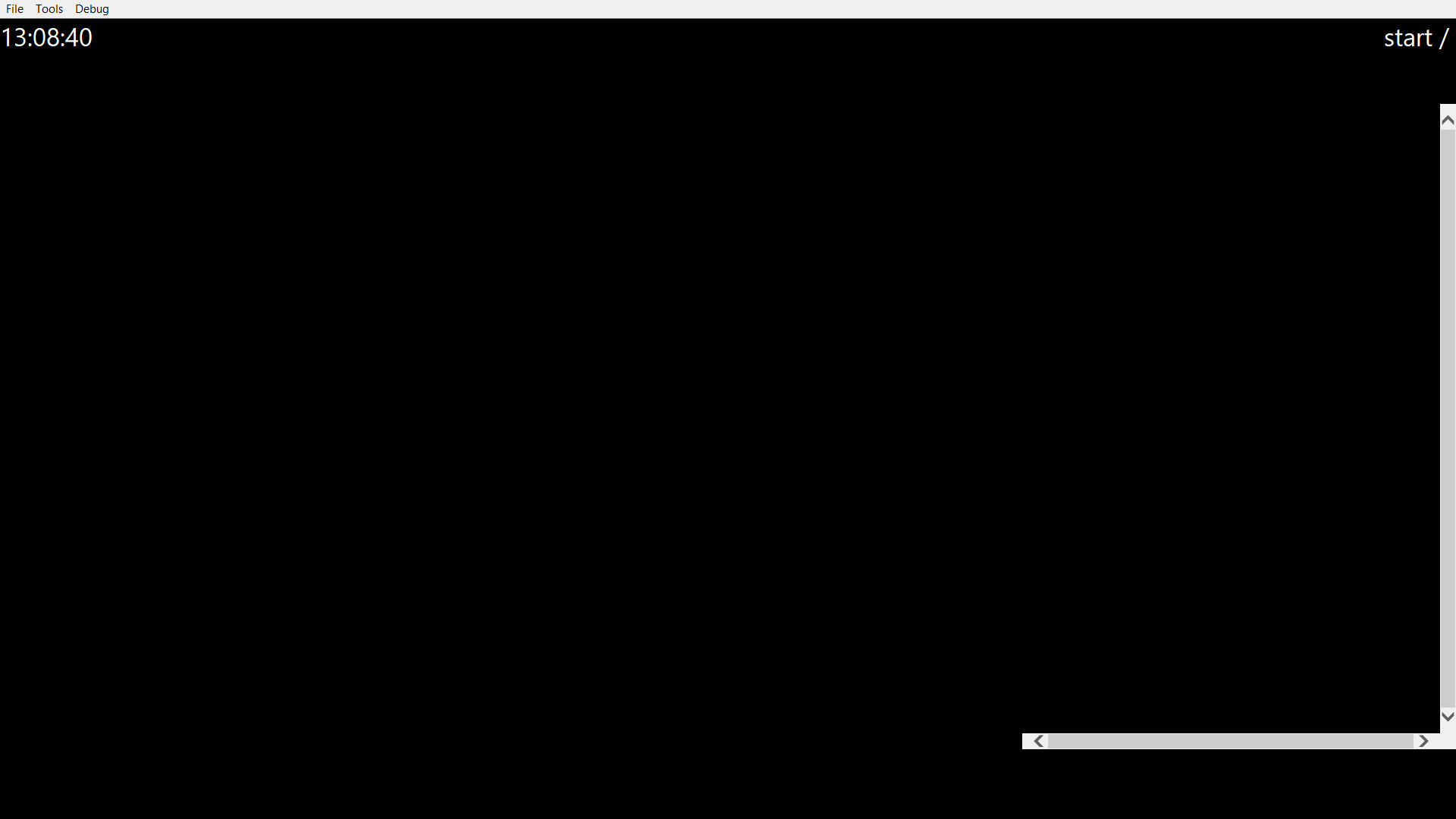
I think it starts with GuideMe itself, when I start it up, there is just a black screen:
- Spoiler: show
-
- Screenshot 2019-02-02 13.08.40.png (11.41 KiB) Viewed 6565 times
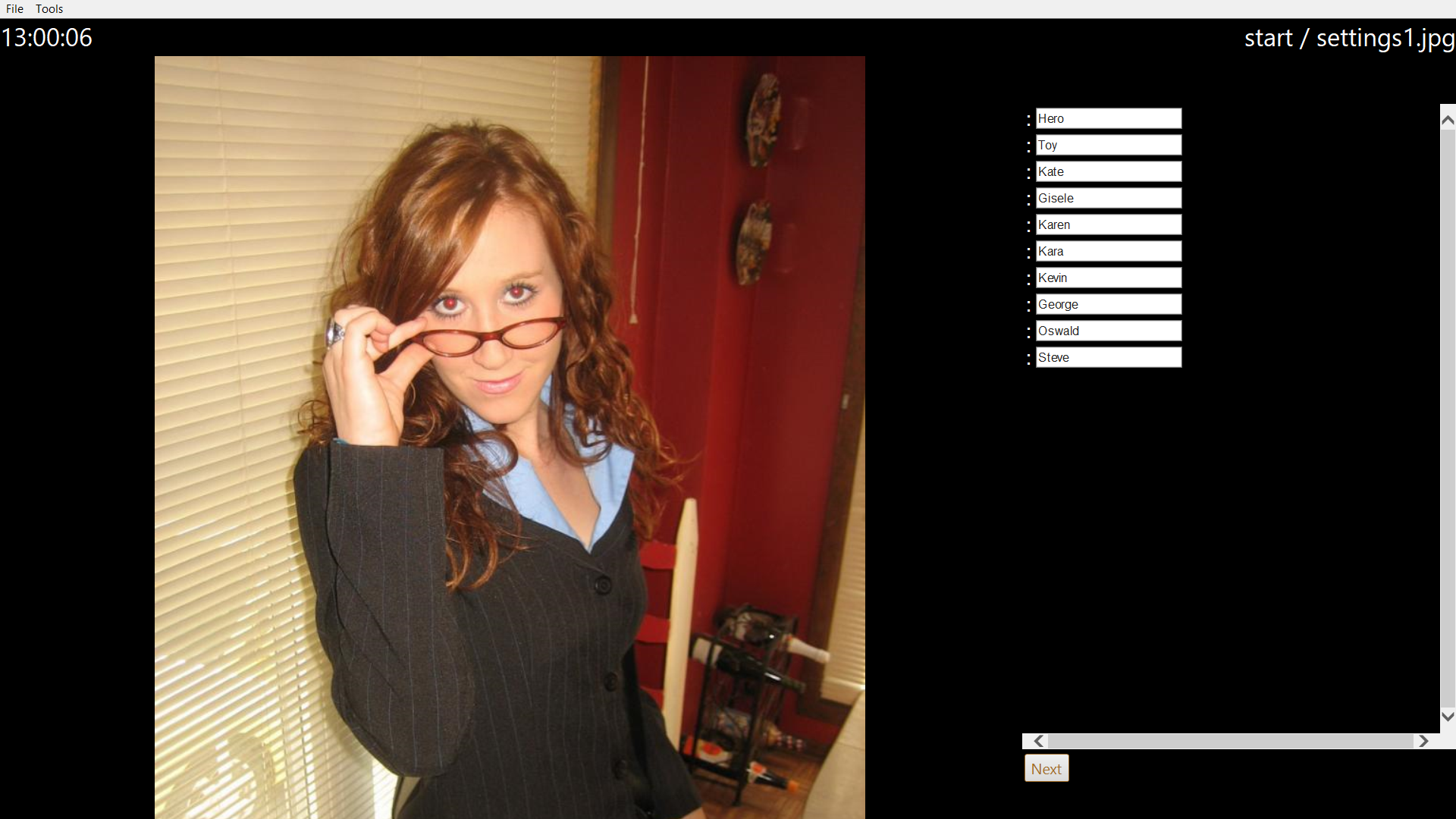
And these are the user preferences:
- Spoiler: show
-
- Screenshot 2019-02-02 13.00.06.png (925.29 KiB) Viewed 6565 times
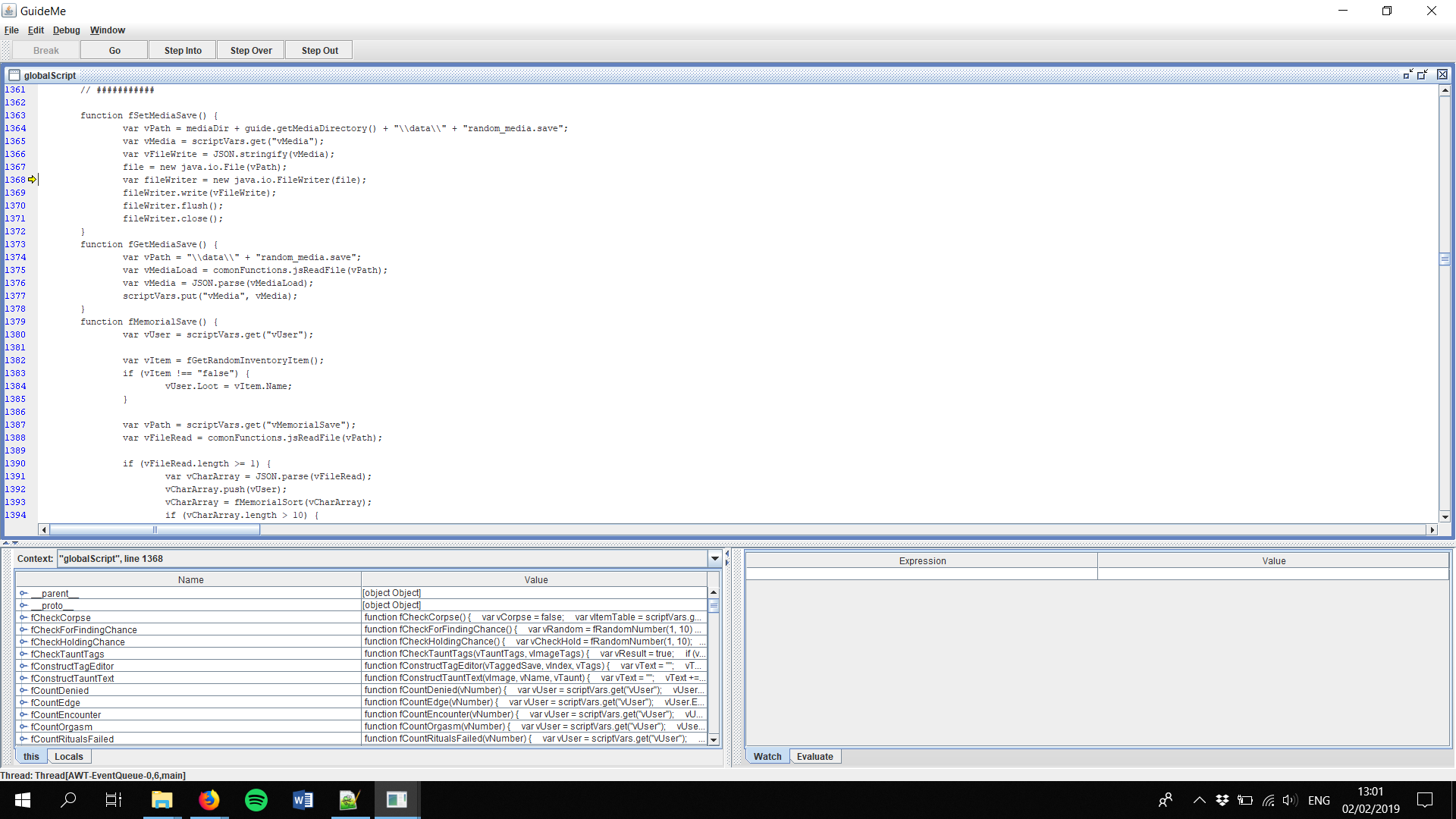
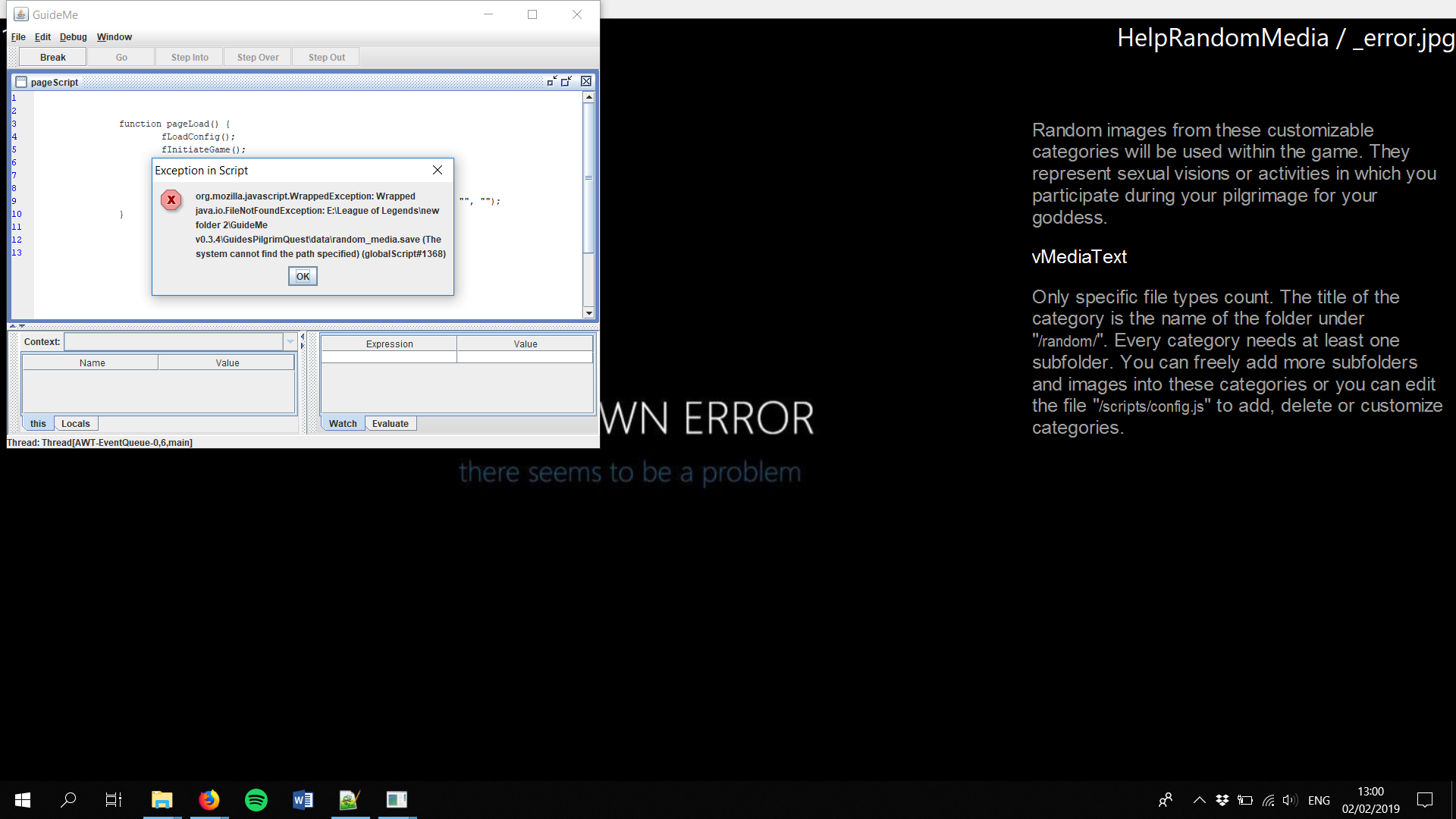
I have the v0.3.4 so that should do the trick, however, as soon as I go to help in PilgrimQuest and pick the option images, I get this error:
- Spoiler: show
-
- Screenshot 2019-02-02 13.01.04.png (126.76 KiB) Viewed 6565 times
- Screenshot 2019-02-02 13.00.47.png (142.19 KiB) Viewed 6565 times
I have tried to look for a possible quick fix in the code, but I'm not that experienced in coding.
I downloaded the media Addon, and added it to the PilgrimQuest folder:
- Spoiler: show
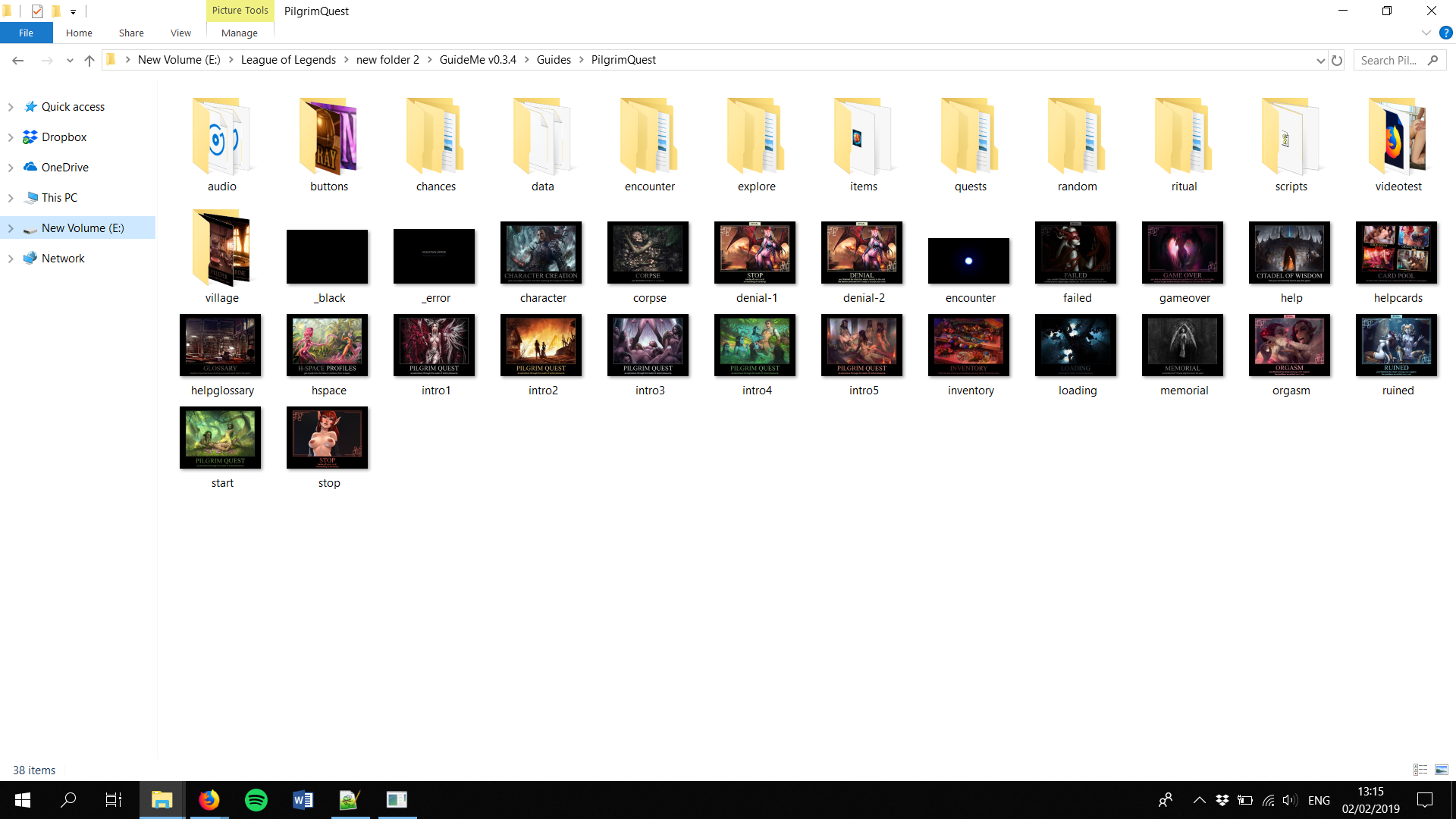
- Screenshot 2019-02-02 13.15.11.png (417.71 KiB) Viewed 6565 times
was this the right place to add it or should I have placed the "random" folder somewhere else?
Hopefully someone can help me with this question, thanks in advance,
Amstel
Re: Pilgrim Quest - Current Build v0.6
Posted: Sun Feb 03, 2019 11:24 am
by Ambossli
can you check the config.js in the folder scripts
if there the media folders are included in vmedia?
should look something like this
- Spoiler: show
Code: Select all
var vMedia = [
		{
			// the title of the category (i.e.: "My Images")
			Title: 			"Static",
			// the category folder for this category (i.e.: "random\\myimages")
			Folder:			"random\\static",
			// a short description for this category (i.e.: "My hot and sexy porn images")
			Desc:			"non animated images",
			// allowed file endings for this category; case insensitive (i.e.: ["*.jpg", "*.gif", "*.bmp"])
			Types: 			[".jpg", "jpeg", ".png"],
			// empty array which will be filled by the game automatically with all found files. DON'T EDIT THIS!
			Files:			[],
		},
		{
			Title: 			"Animated",
			Folder:			"random\\animated",
			Desc:			"short animated gif loops",
			Types: 			[".gif"],
			Files:			[],
		},	]
	scriptVars.put("vMedia", vMedia);
Re: Pilgrim Quest - Current Build v0.6
Posted: Sun Feb 03, 2019 2:51 pm
by Amstel12345
Ambossli wrote: Sun Feb 03, 2019 11:24 am
can you check the config.js in the folder scripts
if there the media folders are included in vmedia?
should look something like this
- Spoiler: show
Code: Select all
var vMedia = [
		{
			// the title of the category (i.e.: "My Images")
			Title: 			"Static",
			// the category folder for this category (i.e.: "random\\myimages")
			Folder:			"random\\static",
			// a short description for this category (i.e.: "My hot and sexy porn images")
			Desc:			"non animated images",
			// allowed file endings for this category; case insensitive (i.e.: ["*.jpg", "*.gif", "*.bmp"])
			Types: 			[".jpg", "jpeg", ".png"],
			// empty array which will be filled by the game automatically with all found files. DON'T EDIT THIS!
			Files:			[],
		},
		{
			Title: 			"Animated",
			Folder:			"random\\animated",
			Desc:			"short animated gif loops",
			Types: 			[".gif"],
			Files:			[],
		},	]
	scriptVars.put("vMedia", vMedia);
this is what I have in config.js in the script folder:
- Spoiler: show
-
Code: Select all
	/**
		CATEGORIES FOR RANDOM IMAGES

		Category folders and their subfolders can be empty, but you need at least one category with one image.

		Subfolders under a category folder can be named as you want and you can have as many as you want.

		Currently there is a bug if a folder for a category has no subfolder at all...

		Currently only images are supported for random categories. Don't try to add a "video category" there

		Pilgrim Quest will reload all random images according to vMedia in config.js at the start of a new game and if you start a new day from your village room. So you can add new random images or change random image categories before a new game and between your play sessions.

		Pilgrim Quest will search in each category folder and all direct subfolders for files with correct file endings. Because of a small bug in the current script, you need at least one subfolder in each category folder! .
	**/
	var vMedia = [
		{
			// the title of the category (i.e.: "My Images")
			Title: 			"Static",
			// the category folder for this category (i.e.: "random\\myimages")
			Folder:			"random\\static",
			// a short description for this category (i.e.: "My hot and sexy porn images")
			Desc:			"non animated images",
			// allowed file endings for this category; case insensitive (i.e.: ["*.jpg", "*.gif", "*.bmp"])
			Types: 			[".jpg", "jpeg", ".png"],
			// empty array which will be filled by the game automatically with all found files. DON'T EDIT THIS!
			Files:			[],
		},
		{
			Title: 			"Animated",
			Folder:			"random\\animated",
			Desc:			"short animated gif loops",
			Types: 			[".gif"],
			Files:			[],
		},
	]
	scriptVars.put("vMedia", vMedia);
I couldn't see any differences.
I will add that I have deleted and re downloaded both GuideMe and pilgrimquest to see if that made any difference but so far nothing has changed, additionally, it has worked before, but this was more than a year ago if I remember correctly.
Re: Pilgrim Quest - Current Build v0.6
Posted: Mon Feb 04, 2019 6:17 pm
by Ambossli
So only other thing I can think of in the moment you use the 64bit version for a 64 bit OS and the same for java?
sometimes this can make problems if there is a diffrence